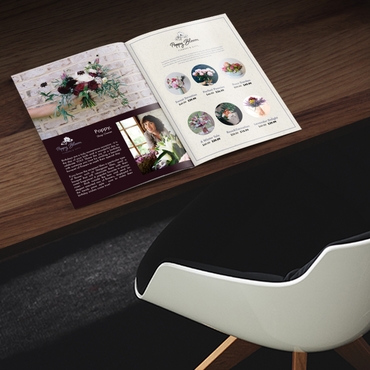
Sometimes a flyer isn’t enough. You may need to explain several services, showcase an entire product collection, walk customers through a process, introduce your company, or provide information people will need to reference later.
Trying to squeeze all of that onto a single sheet can quickly result in tiny text, crowded layouts, and information that’s difficult to navigate.
That’s where custom booklets can help.
With multiple pages, businesses have more room to organize information into logical sections without forcing everything into a small space.
And booklets aren’t only marketing materials.
They can support sales teams, train employees, guide event attendees, educate customers, showcase creative work, and provide useful reference information.
The question is: What kind of booklet actually makes sense for your business?
Here are seven practical ways companies can use Custom Booklets, plus tips for planning one around your audience and business goal.
Key Takeaways
- Custom booklets give businesses more room to communicate detailed information than most single-sheet marketing materials.
- Companies can use printed booklets for product catalogs, company profiles, sales guides, employee training, events, customer education, and portfolios.
- The right booklet format depends on its purpose, audience, amount of content, distribution method, and expected lifespan.
- Clear organization and strong visual hierarchy can make longer printed materials easier to navigate.
- Page count, paper, binding, and design should be considered together rather than as separate decisions.
- Business booklets can support both external communication with customers and prospects and internal communication with employees.
- Starting with a clear purpose helps businesses avoid filling a booklet with unnecessary information.
What Is a Custom Business Booklet?
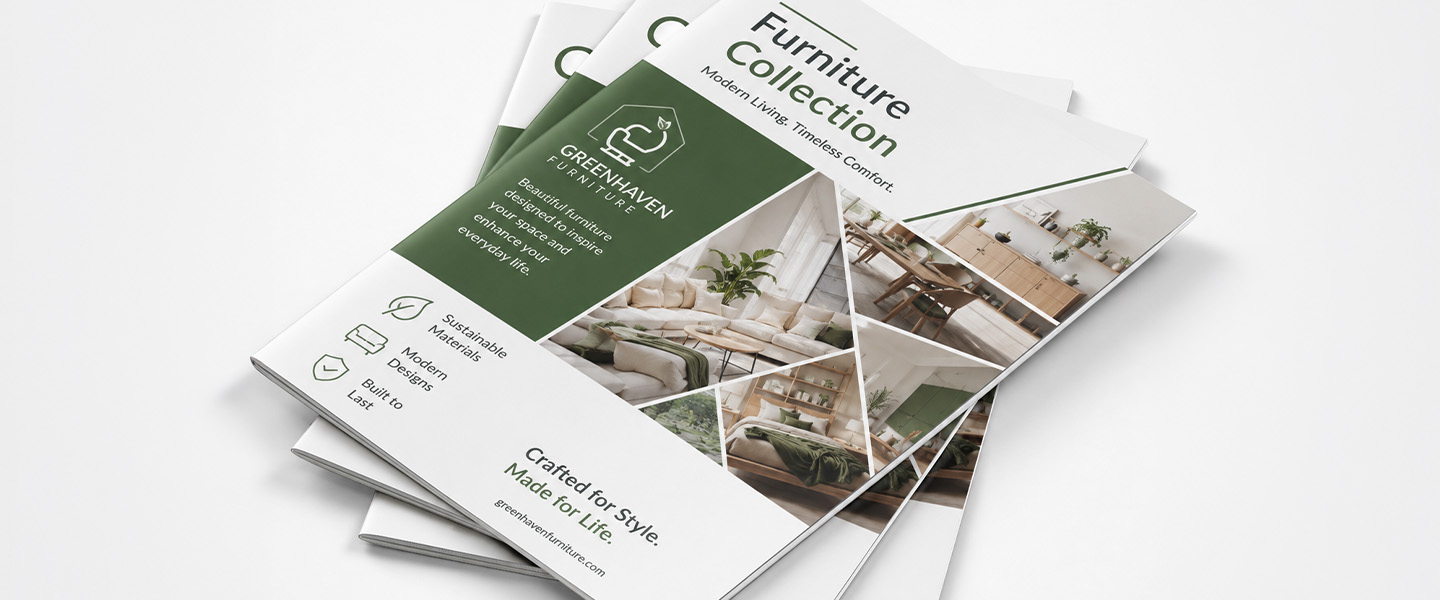
A custom business booklet is a multi-page printed piece designed around a specific communication goal.
Unlike a Flyer, which generally communicates a focused message on a limited amount of space, or a Brochure, which uses panels and folds to organize information, a booklet provides multiple pages.
That extra space can be useful when you need to:
- explain a complex product,
- showcase multiple products,
- tell a longer brand story,
- provide detailed instructions,
- organize an event schedule,
- train employees,
- or present a visual portfolio.
Businesses can customize elements such as:
- dimensions,
- page count,
- cover design,
- interior layout,
- paper,
- imagery,
- branding,
- and available binding options.
The format should depend on what the booklet needs to accomplish.
A 12-page event program and a detailed product catalog may both technically be booklets, but their content, design, durability, and distribution requirements can be very different.
If you’re still deciding whether you need multiple pages, read Booklets vs. Brochures: How to Choose the Right One for a deeper comparison of the two formats.
Why Do Businesses Use Custom Booklets?
Booklets occupy a useful space between short-form marketing materials and larger publications.
More Space for Detailed Information
A flyer or postcard works well when the message is concise.
But what happens when customers need more context?
A booklet can provide room for:
- product descriptions,
- specifications,
- multiple services,
- case studies,
- instructions,
- FAQs,
- schedules,
- photographs,
- diagrams,
- or company information.
The additional space doesn’t mean you should fill every page.
It means you have room to communicate without forcing too much information into one layout.
Better Content Organization
Multiple pages make it easier to divide information into sections.
For example, a service booklet could follow this structure:
Cover
Who We Help
Our Services
How It Works
Customer Success Story
Frequently Asked Questions
Next Steps
Instead of presenting everything at once, readers move through the information in a deliberate order.
Professional Presentation
Complex information can feel overwhelming when it’s presented as loose sheets or a collection of unrelated materials.
A booklet brings that information together into one cohesive piece.
Consistent:
- typography,
- colors,
- imagery,
- page layouts,
- messaging,
- and branding
can make the information easier to navigate while creating a unified presentation.
Versatility
A custom booklet isn’t tied to one department.
Marketing might use one for a product catalog.
Sales might create a service guide.
Human resources could develop an onboarding booklet.
An events team might produce a conference program.
Customer service could create a product guide.
The format can adapt to many different business needs.
Physical Reference Material
Not every piece of information needs to disappear after one interaction.
Customers, employees, partners, and event attendees may need to return to information later.
A printed booklet can serve as a physical reference they can keep on a desk, carry to a meeting, take home, or consult while using a product.
7 Ways Companies Can Use Custom Booklets
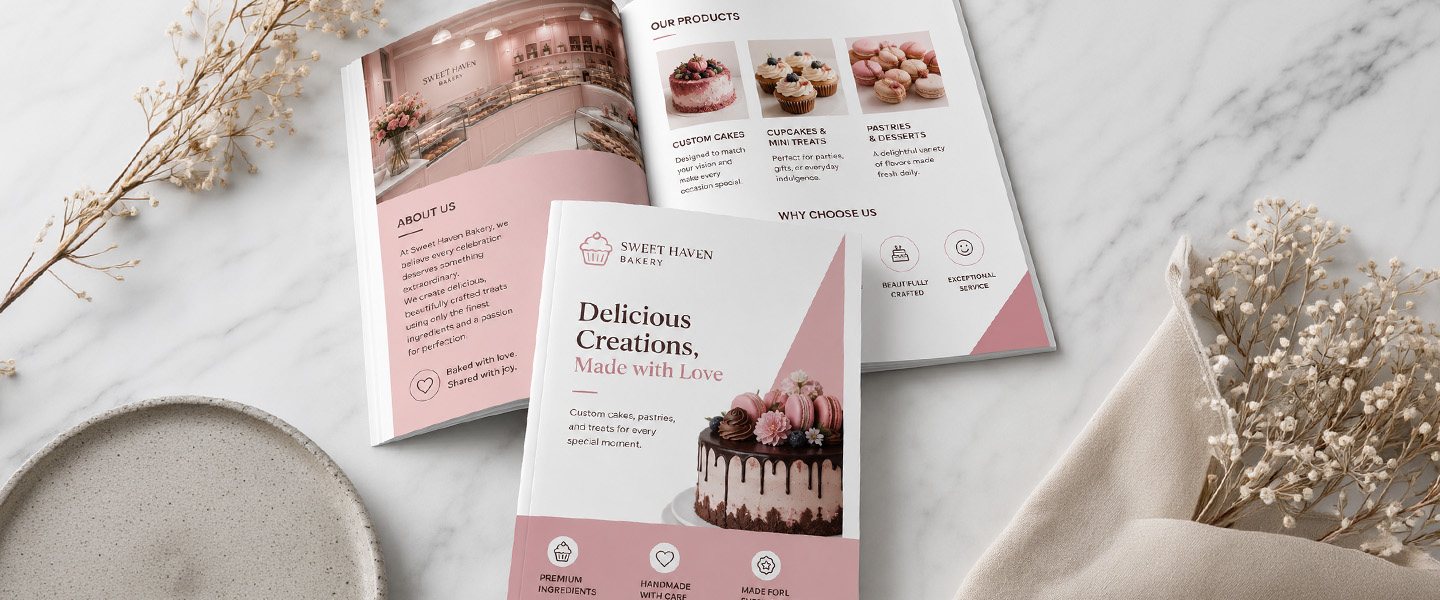
The best booklet starts with a specific job.
Here are seven practical ways businesses can put the format to work.
1. Product Catalogs
If your company sells multiple products, a booklet can organize them into a portable printed catalog.
A product booklet might include:
- product photography,
- product categories,
- key features,
- specifications,
- available options,
- pricing when appropriate,
- ordering information,
- and contact details.
Instead of asking a salesperson to explain every product individually, the catalog gives customers something they can browse during or after the conversation.
Best For
Product catalogs can work particularly well for:
- retailers,
- manufacturers,
- wholesalers,
- distributors,
- B2B companies,
- and product-based businesses.
How to Make It More Useful
Don’t simply place products on pages in random order.
Organize them around how customers shop.
That might mean grouping by:
- product category,
- application,
- industry,
- price range,
- collection,
- or customer need.
Make navigation easy.
For longer catalogs, consider:
- page numbers,
- section headings,
- a contents page,
- product codes,
- and clear contact or ordering instructions.
2. Company Profiles and Brand Stories
Sometimes customers need to understand the company before they’re ready to buy from it.
A company profile booklet can introduce the organization in greater depth than a business card, flyer, or short sales sheet.
Potential sections include:
- company history,
- mission,
- values,
- products and services,
- leadership or team,
- locations,
- capabilities,
- achievements,
- case studies,
- customer stories,
- and contact information.
Best For
Company booklets can support:
- sales meetings,
- corporate presentations,
- partnership discussions,
- stakeholder communication,
- trade shows,
- welcome packages,
- and business development.
Don’t Turn It Into a Corporate Biography
Your history may matter to you.
But ask what matters to the reader.
Instead of dedicating several pages to dates and milestones, connect the company story to the value you provide today.
For example:
Instead of:
“We were founded in 1998.”
Consider:
“More than two decades of industry experience have shaped how we approach…”
The booklet should tell your story while still answering the reader’s most important question:
Why does this matter to me?
3. Sales and Service Guides
A salesperson can explain your services during a meeting.
But what happens afterward?
Prospects may need to:
- compare options,
- share information with colleagues,
- review pricing,
- understand the process,
- or remember what makes your solution different.
A printed sales booklet can continue that conversation.
It might cover:
- services,
- packages,
- solutions,
- key benefits,
- processes,
- FAQs,
- case studies,
- customer success stories,
- and next steps.
Best For
This format can work well for:
- sales teams,
- consultants,
- agencies,
- professional services,
- contractors,
- B2B companies,
- and businesses with complex offerings.
Organize Around Customer Questions
Avoid building the entire booklet around your internal company structure.
Customers may not care that your business has five service departments.
They care about solving a problem.
Consider organizing content around questions such as:
What problem do you solve?
Who is the service for?
How does it work?
What are my options?
Why should I choose your company?
What happens next?
That creates a more customer-focused sales tool.
4. Training and Employee Handbooks
Not every business booklet needs to attract customers.
Booklets can also support internal communication.
Companies may use them for:
- employee onboarding,
- training materials,
- standard procedures,
- workplace guidelines,
- quick-reference information,
- role-specific instructions,
- safety information,
- or internal programs.
Best For
Printed training materials can be especially useful when employees need information:
- during onboarding,
- away from a computer,
- while performing a task,
- during an in-person training session,
- or as a quick reference afterward.
Use Print Alongside Digital Resources
A printed training booklet doesn’t necessarily need to replace your digital documentation.
The two can complement each other.
For example, the booklet could contain:
- essential procedures,
- checklists,
- diagrams,
- quick-reference information,
- and QR codes or URLs leading to frequently updated digital resources.
That can be particularly useful when certain information changes often.
Instead of reprinting the entire handbook every time a minor policy changes, keep frequently updated details online where appropriate.
5. Event Programs and Conference Guides
Events generate a lot of information.
Attendees may need to know:
- where to go,
- when sessions begin,
- who is speaking,
- what each session covers,
- who the sponsors are,
- and what happens next.
A booklet can organize that information into one portable event guide.
Potential sections include:
- welcome message,
- event schedule,
- speaker information,
- session descriptions,
- venue maps,
- sponsor information,
- exhibitor details,
- important announcements,
- contact information,
- and notes pages.
Best For
Event booklets can work for:
- conferences,
- corporate events,
- trade shows,
- fundraisers,
- ceremonies,
- community events,
- educational events,
- and professional meetings.
Design Around How Attendees Will Use It
An event program is functional.
Make frequently referenced information easy to find.
The daily schedule, for example, shouldn’t be hidden in a dense paragraph halfway through the booklet.
Use:
- clear headings,
- page numbers,
- visual sections,
- concise descriptions,
- and easy-to-read schedules.
If attendees will carry the booklet throughout the day, size and portability should also influence the format.
6. Instruction Manuals and Customer Guides
Some products and services require more explanation after purchase.
A customer guide can help answer common questions in an organized format.
Depending on the business, a booklet might explain:
- product setup,
- installation,
- operation,
- care instructions,
- maintenance,
- troubleshooting,
- service information,
- warranty or support information,
- and frequently asked questions.
Best For
Instruction booklets can be useful for:
- manufacturers,
- product companies,
- service providers,
- equipment suppliers,
- home-service businesses,
- and companies selling products with multiple steps or features.
Write for the Person Using the Product
Internal terminology can make perfect sense to your team and still confuse customers.
Use:
- straightforward language,
- numbered steps,
- clear headings,
- diagrams when useful,
- warnings or important notes where appropriate,
- and visual examples.
The goal isn’t to demonstrate how much your company knows.
It’s to help the customer complete the task successfully.
7. Lookbooks and Portfolios
Some businesses communicate more effectively through images than paragraphs.
A custom booklet can create a physical portfolio that showcases visual work without relying entirely on a laptop or phone.
Potential content includes:
- photography,
- design projects,
- fashion collections,
- interior spaces,
- architecture,
- real estate properties,
- artwork,
- before-and-after projects,
- or campaign examples.
Best For
Lookbooks and portfolio booklets can be particularly useful for:
- designers,
- photographers,
- architects,
- real estate professionals,
- interior designers,
- creative agencies,
- artists,
- and visual brands.
Give the Work Room to Breathe
Don’t assume every page needs several images.
If the purpose is visual impact, one strong photograph may deserve an entire page or spread.
Keep supporting text concise.
Depending on the project, useful information might include:
- project name,
- location,
- client or industry,
- short description,
- service provided,
- and results when relevant.
The visual work should remain the focus.
Which Type of Business Booklet Is Right for Your Goal?
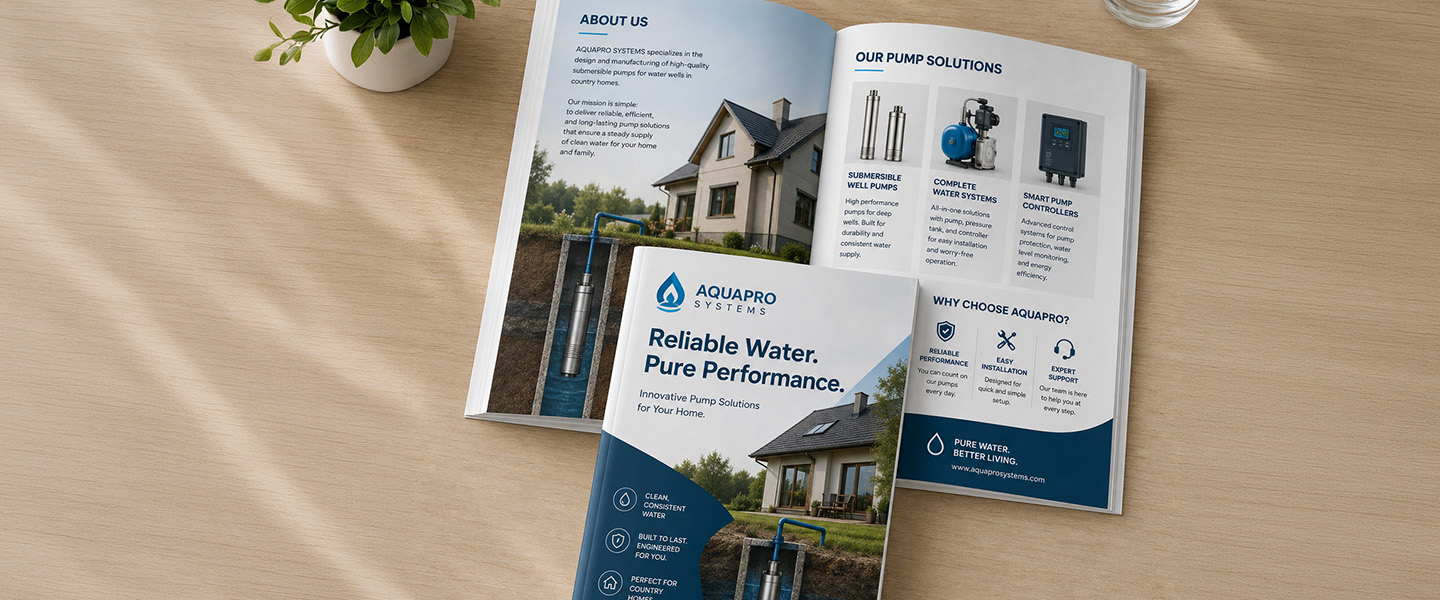
Start with the business objective rather than the format.
| Business Goal | Booklet Type | Content Focus |
| Showcase Products | Product Catalog | Images, features and specifications |
| Introduce Your Company | Company Profile | Brand story, services and achievements |
| Support Sales | Sales Guide | Solutions, benefits and case studies |
| Train Employees | Training Booklet | Procedures and instructions |
| Organize an Event | Event Program | Schedules and event information |
| Educate Customers | Instruction Guide | How-to information and support |
| Showcase Creative Work | Lookbook or Portfolio | High-quality visuals |
A booklet may serve more than one purpose.
For example, a company profile could also support sales.
A product catalog might include educational content.
A conference guide may contain sponsor advertising.
That’s fine.
But one goal should remain primary.
If a booklet tries to be a company history, complete product catalog, training manual, sales pitch, and event program simultaneously, the reader may struggle to understand what they’re supposed to do with it.
How to Plan a Custom Booklet
Once you know what type of booklet you need, plan the content before jumping into the design.
Define the Purpose
Start with one sentence:
After reading this booklet, I want the reader to ______.
Examples:
“Understand which product is right for them.”
“Request a consultation.”
“Know how to use the product.”
“Navigate the conference.”
“Understand our company and capabilities.”
This gives the project a clear direction.
Identify the Audience
Who will actually receive the booklet?
Possibilities include:
- existing customers,
- prospective customers,
- employees,
- event attendees,
- partners,
- distributors,
- investors,
- or community members.
Your audience influences:
- terminology,
- amount of explanation,
- imagery,
- tone,
- CTA,
- and content depth.
A technical product catalog for distributors will probably look very different from a customer-facing lookbook.
Organize the Content
Before designing individual pages, create a page-by-page outline.
For example:
Page 1: Cover
Page 2: Introduction
Pages 3–4: Customer problem
Pages 5–8: Services
Pages 9–10: Case study
Page 11: FAQ
Page 12: CTA and contact information
The exact structure will vary, but planning first helps prevent a common problem: reaching the final pages and realizing important content no longer fits.
For a deeper breakdown, see What Should a Booklet Include? A Page-by-Page Breakdown for Businesses.
Choose the Right Page Count
More pages aren’t automatically better.
Use enough pages to:
- communicate clearly,
- maintain comfortable spacing,
- accommodate useful images,
- and create logical sections.
Don’t add filler simply to make the booklet feel more substantial.
At the same time, don’t force 20 pages worth of information into eight pages just to reduce the page count.
Content and format should support each other.
Select the Right Binding
Binding affects:
- appearance,
- page-count requirements,
- durability,
- usability,
- cost,
- and how the booklet opens.
Shorter publications may have different binding needs from larger catalogs or reports.
If you’re comparing options, see Saddle Stitch vs. Perfect Binding: Which Booklet Is Right for Your Project?
Always check the available specifications for your selected printing provider before finalizing the design and page count.
Choose Paper and Finish
Think about how the booklet will be used.
Ask:
- Will customers keep it?
- Will employees reference it regularly?
- Is photography a major part of the design?
- Is the booklet for a one-day event?
- Will it be mailed?
- Does it need to feel especially premium?
- How frequently will it be handled?
Paper and finish choices should support the purpose rather than simply making the booklet more expensive.
How to Design a Business Booklet People Actually Read
Having more pages doesn’t mean readers suddenly have more attention.
Your booklet still needs to be easy to navigate.
Start With a Strong Cover
The cover should quickly communicate what the booklet contains.
Avoid vague titles when a specific one would be more useful.
For example:
2026 Product Catalog
is clearer than:
Discover What’s Possible
You can still use creative supporting copy, but don’t make readers guess what they’re holding.
Create Clear Visual Hierarchy
Readers should immediately recognize:
- main headings,
- section headings,
- body text,
- captions,
- key statistics,
- and calls to action.
Don’t make everything compete for attention.
Break Content Into Manageable Sections
Long pages of uninterrupted text can make a booklet feel difficult before someone begins reading.
Use:
- sections,
- subheadings,
- bullets,
- short paragraphs,
- callouts,
- images,
- charts,
- and tables
where they genuinely improve comprehension.
Use Concise Headlines
Headlines help readers navigate.
Instead of:
Information About the Various Services Our Company Provides
consider:
Our Services
Clarity usually beats complexity.
Balance Text With Relevant Images
Images should support the information.
Depending on the booklet, that might include:
- product photos,
- diagrams,
- employee photography,
- project examples,
- maps,
- charts,
- or illustrations.
Avoid adding generic images simply because a page feels empty.
White space can be useful too.
Maintain Consistent Branding
Keep:
- logo usage,
- colors,
- typography,
- photography,
- icon styles,
- and tone
consistent throughout the booklet.
The reader should feel like they’re moving through one publication rather than a collection of unrelated pages.
Include Page Numbers
For longer booklets, page numbers can make navigation much easier.
A table of contents may also help when readers need to reference specific sections repeatedly.
Make Contact Information Easy to Find
Don’t hide contact information in one small line.
Depending on the booklet’s purpose, include relevant:
- website,
- phone number,
- email,
- location,
- QR code,
- or contact instructions.
Include a Clear CTA
Marketing and sales booklets should answer:
What should I do after reading this?
Possible CTAs include:
- Request a Quote
- View the Full Collection
- Contact Our Team
- Schedule a Consultation
- Visit Our Website
- Find a Location
- Start Your Order
The CTA should match the purpose of the booklet.
Common Business Booklet Mistakes to Avoid
Before sending your booklet to print, check for these common problems.
Trying to Include Too Much Information
More pages can create the temptation to include everything.
Don’t.
Prioritize what the audience actually needs.
Not Defining the Purpose
Without a clear goal, the booklet can quickly become a collection of unrelated information.
Define the purpose before writing.
Poor Content Organization
Don’t make readers search for important information.
Create a logical sequence and make sections easy to identify.
Using Long Blocks of Text
Even technical booklets benefit from visual breaks.
Use paragraphs, headings, bullets, diagrams, and images strategically.
Choosing the Wrong Binding
Page count and binding should be planned together.
Don’t finish a design and only then discover the intended binding isn’t appropriate for the publication.
Using Low-Resolution Images
Images that look acceptable on a screen may not reproduce well when printed.
Use high-quality artwork and follow the printer’s image-resolution requirements.
Ignoring Margins, Bleed and Print Requirements
Booklets are physical products.
Design with:
- trim,
- margins,
- bleed,
- binding,
- page order,
- and safe areas
in mind from the beginning.
Inconsistent Branding
Avoid changing typography, colors, imagery, and visual style from page to page without a deliberate reason.
Forgetting a Clear CTA
If the booklet has a marketing or sales goal, give readers a next step.
Printing Before Proofreading
A typo on a flyer is frustrating.
A typo repeated across a 20-page booklet can be much more expensive.
Check:
- names,
- prices,
- product numbers,
- page numbers,
- dates,
- contact information,
- URLs,
- QR codes,
- captions,
- specifications,
- and spelling
before approving the order.
Business Booklet Pre-Print Checklist
Before printing, confirm:
Purpose and Content
- Is the booklet’s primary purpose clear?
- Is the audience clearly defined?
- Does every section support the purpose?
- Has unnecessary content been removed?
- Is information organized logically?
Design
- Does the cover clearly communicate what the booklet is?
- Is there a consistent visual hierarchy?
- Are fonts readable?
- Is branding consistent?
- Are images high resolution?
- Is there enough white space?
Navigation
- Are sections easy to identify?
- Are page numbers included where useful?
- Does a longer booklet need a table of contents?
- Can readers quickly find important information?
Printing
- Is the page count correct?
- Does the selected format support the content?
- Has binding been considered?
- Are margins and bleed correct?
- Are colors prepared according to the printer’s requirements?
- Are images suitable for professional printing?
Final Details
- Have names been checked?
- Are prices and specifications accurate?
- Do URLs work?
- Have QR codes been tested?
- Is contact information correct?
- Is the CTA clear?
- Has someone else proofread the final version?
If everything passes, the booklet is much closer to being ready for production.
Why Choose Overnight Prints for Custom Booklets?
Once your content, layout, and specifications are ready, Overnight Prints offers Custom Booklet Printing for businesses, organizations, events, marketing campaigns, and other professional uses.
Custom booklets can bring together detailed information, professional-quality full-color printing, and your own branded artwork in one cohesive printed piece.
Before completing your design, review the current product specifications for available:
- sizes,
- page counts,
- paper choices,
- binding,
- artwork requirements,
- and turnaround options.
Planning those specifications before finishing the artwork can help prevent layout changes later.
Whether you’re creating a product catalog, company profile, event program, sales guide, or visual portfolio, start with the purpose and build the booklet around how your audience will actually use it.
Frequently Asked Questions
What are custom booklets used for?
Businesses can use custom booklets for product catalogs, company profiles, sales materials, employee training, event programs, instruction guides, portfolios, lookbooks, and other communications that require more space than a single-sheet format provides.
How can businesses use printed booklets?
Printed booklets can support both external and internal communication.
Externally, businesses can use them for marketing, sales, product information, customer education, events, and portfolios.
Internally, they can support training, onboarding, procedures, and employee reference materials.
What should a business booklet include?
It depends on its purpose.
Most business booklets need:
- a clear cover,
- organized sections,
- useful headings,
- relevant visuals,
- consistent branding,
- contact information,
- and, for marketing materials, a clear CTA.
Longer booklets may also benefit from page numbers and a table of contents.
What’s the difference between a booklet and a brochure?
A brochure typically uses a folded sheet divided into panels, while a booklet contains multiple pages.
Brochures work well for concise information, while booklets provide more room for detailed content such as catalogs, guides, reports, or programs.
How many pages should a business booklet have?
There is no single ideal page count.
The right number depends on the amount of information, booklet purpose, binding requirements, design, and printer specifications.
Include enough pages to communicate comfortably without adding unnecessary filler.
What is the best binding for a custom booklet?
The appropriate binding depends on factors such as page count, budget, appearance, durability, and intended use.
Saddle stitching can work well for many shorter publications, while other binding methods may be more appropriate for longer projects.
Check your printer’s current specifications before designing.
Are booklets good for product catalogs?
Yes. Booklets can provide enough space for product photography, features, specifications, categories, pricing when appropriate, and ordering information.
Organize products around how customers browse rather than simply placing items in an arbitrary order.
Can booklets be used for employee training?
Yes. Printed booklets can support onboarding, training sessions, procedures, checklists, workplace information, and quick-reference materials.
They can also complement frequently updated digital documentation.
What paper is best for business booklets?
The best paper depends on how the booklet will be used.
Consider durability, image quality, handling frequency, desired presentation, distribution method, and budget.
Review the available paper specifications for your selected printing product before finalizing the design.
How do you design a professional booklet?
Start with a clear purpose and audience.
Then:
- Organize the content before designing.
- Create a logical page structure.
- Use consistent branding.
- Establish clear visual hierarchy.
- Keep typography readable.
- Use high-quality images.
- Include enough white space.
- Design around the final page count and binding.
- Add a clear CTA when appropriate.
- Proofread everything before printing.
Conclusion
Custom booklets can do much more than advertise a business.
They can showcase products.
They can introduce your company.
They can support sales conversations.
They can train employees.
They can guide event attendees.
They can educate customers.
And they can showcase creative work.
What makes those applications effective isn’t simply having more pages.
It’s using those pages intentionally.
Start by defining what the booklet needs to accomplish and who will read it.
Then organize the content around that audience.
Page count, design, paper, binding, imagery, and CTA should all support how the finished booklet will actually be used.
When you’re ready to turn that content into a physical piece, explore Custom Booklet Printing from Overnight Prints to create a booklet built around your business, audience, and communication goals.
Resources
- Adobe – InDesign – Professional page-layout software and resources for creating multi-page print publications.
- Adobe – InDesign User Guide – Guidance covering page layouts, typography, images, document setup, and preparing files for print.
- AIGA – The Professional Association for Design – Resources related to graphic design, typography, visual communication, and professional design practices.
- PRINTING United Alliance – Printing industry information covering commercial print production, technology, materials, and best practices.
- U.S. Small Business Administration – Small-business resources covering marketing, business planning, operations, and customer communication.