A greeting card may be small, but the right design can make someone feel appreciated, celebrated, or remembered. Whether you’re thanking a customer, celebrating a milestone, or sending a personal message, a well-designed greeting card can turn a simple gesture into something memorable.
But what makes a greeting card stand out? It’s not just a beautiful image or a clever message. The best greeting card designs bring together colors, typography, layout, and personal touches to create something meaningful.
If you’re wondering how to design a greeting card that people will want to keep, this guide covers the essential design elements, common mistakes to avoid, and practical tips for creating a card that leaves a lasting impression.
Key Takeaways
- Choose colors that match the occasion. Your color palette helps communicate the mood and personality of your greeting card.
- Use readable typography. Combine fonts carefully to make your message attractive without sacrificing clarity.
- Keep your layout balanced. White space, alignment, and visual hierarchy help your design look professional.
- Make it personal. Names, photographs, thoughtful details, and customized messages can make your card more meaningful.
- Think about printing early. Paper quality, image resolution, and proper file setup can make a difference in the final result.
1. Choose Colors That Reflect Your Message
Color is one of the first things people notice about a greeting card. Before someone reads the message, the colors have already started communicating a feeling.
Different color combinations can create different impressions:
- Red, pink, and warm neutrals: Great for expressing love, gratitude, and affection.
- Blue and green: Create a calm, trustworthy, and professional appearance.
- Yellow, orange, and other bright colors: Work well for birthdays, celebrations, and cheerful messages.
- Black, white, and metallic-inspired accents: Can create an elegant look for formal occasions and business greetings.
- Soft pastels: Often work well for baby showers, weddings, and thoughtful personal messages.
How to Create a Balanced Color Palette
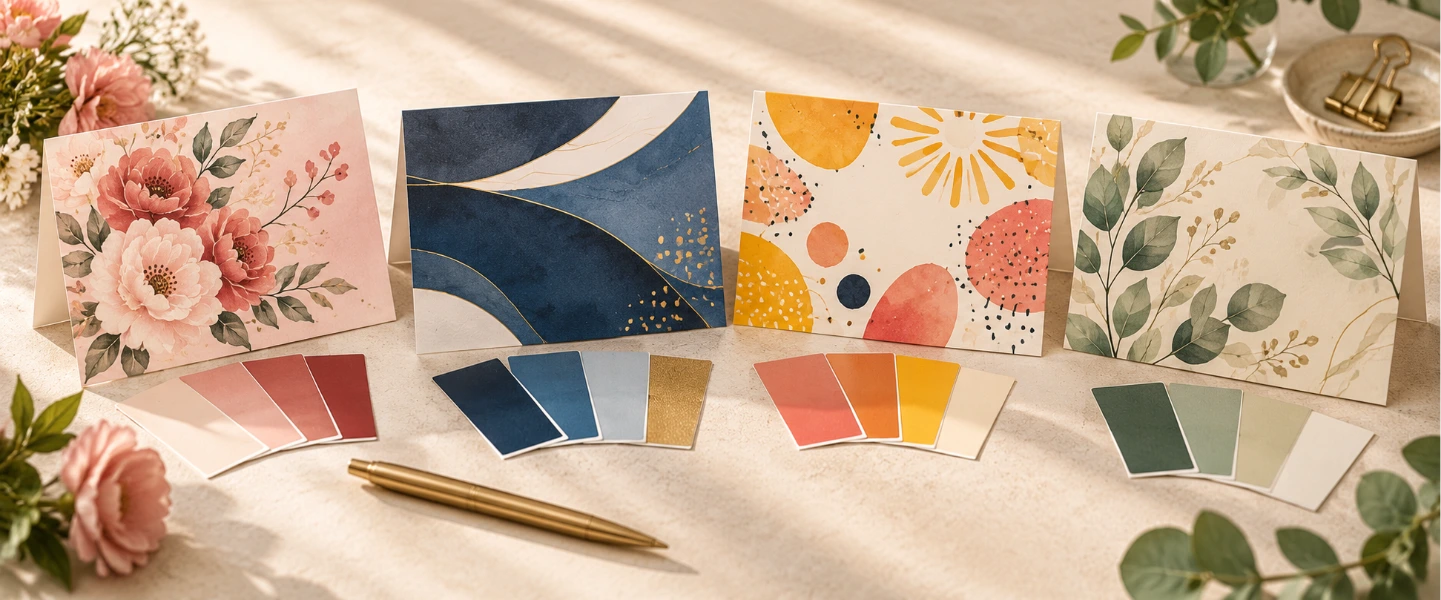
A simple way to design a greeting card is to choose two or three main colors rather than using too many competing shades.
Try the 60-30-10 design guideline:
- 60% dominant color for the background or largest design area.
- 30% secondary color for illustrations, shapes, or supporting elements.
- 10% accent color for important details or highlights.
For example, a customer appreciation card could feature a cream background, dark blue typography, and a small gold-colored accent.
The result is a design that feels intentional without overwhelming the message.
Design tip: Make sure your text contrasts with the background. Light gray text on a white card may look elegant on your screen but become difficult to read when printed.
2. Select Typography That Matches the Occasion
Typography does more than display words. The fonts you choose help establish the tone of your greeting card.
A playful birthday card might use bold, rounded lettering, while a formal business greeting may benefit from a classic serif font.
Which Fonts Work Best for Greeting Cards?
Serif fonts
Serif fonts have small decorative strokes at the ends of letters. They can create a traditional, elegant, or sophisticated appearance.
Best for:
- Formal invitations
- Anniversary cards
- Corporate holiday greetings
- Elegant thank-you cards
Sans serif fonts
Sans serif fonts have clean, simple letterforms that give designs a modern appearance.
Best for:
- Minimalist greeting cards
- Modern business cards and greetings
- Contemporary birthday cards
- Customer appreciation messages
Script and handwritten fonts
Script fonts can make a greeting card feel personal and expressive. However, highly decorative lettering can be difficult to read, especially at smaller sizes.
Best for:
- Short greetings
- Names
- Special occasions
- Decorative headlines
How to Combine Fonts Without Overcomplicating the Design
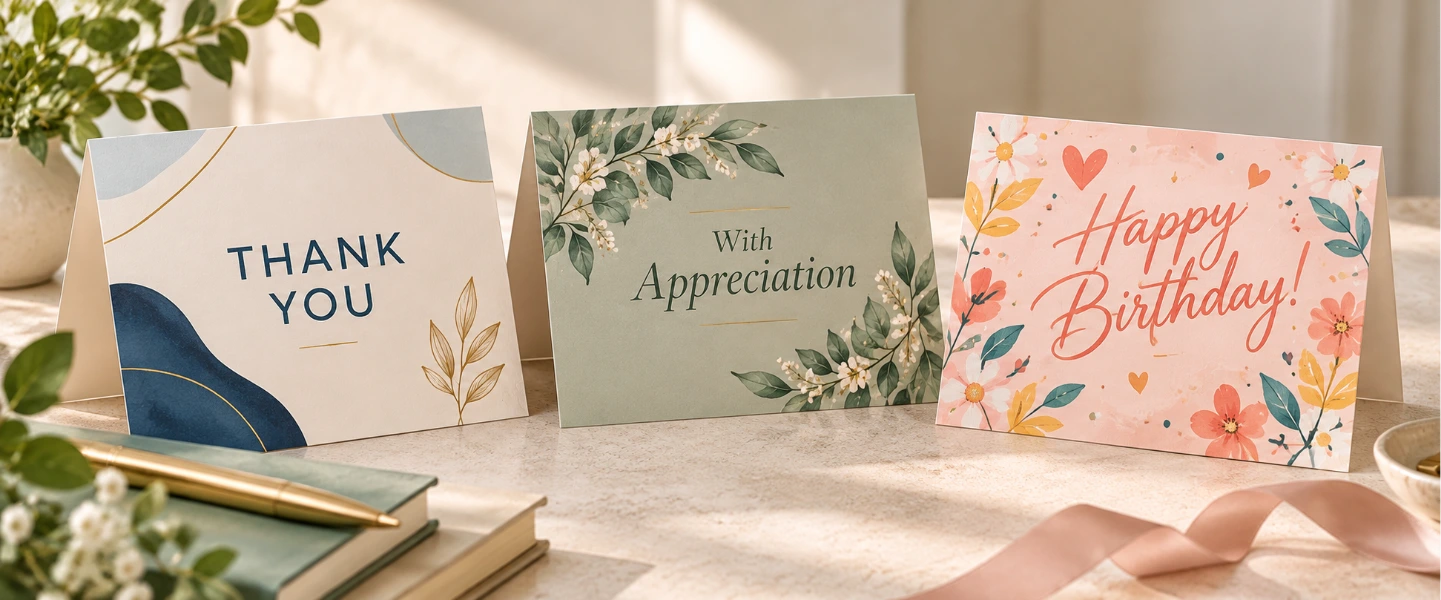
For most greeting cards, one or two fonts are enough.
Use a decorative font for the main greeting and a simpler font for supporting text.
For example:
Front: “You’re Amazing!” in a bold handwritten font.
Inside: “Thank you for everything you do.” in a clean sans serif font.
Avoid combining several decorative fonts on the same card. Too many typefaces can make the design feel cluttered and distract from the message.
3. Create a Greeting Card Layout That Feels Balanced
A beautiful greeting card doesn’t need to be complicated. In fact, some of the most effective designs use only a few carefully arranged elements.
The goal is to guide the reader’s attention toward the most important part of the card.
Start With a Clear Focal Point
Every greeting card should have one main element that immediately catches the eye.
This could be:
- A short greeting such as “Thank You” or “Happy Birthday”
- A meaningful photograph
- A colorful illustration
- A bold typographic design
- A simple graphic that represents the occasion
Once you’ve chosen your focal point, arrange the remaining elements to support it rather than compete with it.
Use White Space to Your Advantage
White space is the empty area surrounding your text, images, and decorative elements. It doesn’t have to be white; it can be any background color.
Giving your design room to breathe helps the main message stand out.
For example, instead of filling a card with flowers, patterns, and several lines of text, try placing a single floral illustration above a short greeting.
This creates a cleaner design and makes the message easier to appreciate.
Think About the Front and Inside of the Card
For folded greeting cards, the front and inside should work together.
The front should capture attention, while the inside provides space for a more personal message.
A simple structure could be:
Front of card:
“Thanks for Being Part of Our Journey”
Inside of card:
“We appreciate your continued support and the trust you’ve placed in us. Here’s to many more great moments together.”
This approach works especially well for business greeting cards because it combines a polished appearance with a genuine message.
4. Add Personal Touches That Make Your Card Memorable
Personalization is one of the easiest ways to make a greeting card feel more meaningful.
A generic message can be appreciated, but a card that reflects the recipient or the relationship often makes a stronger impression.
Simple Ways to Personalize a Greeting Card
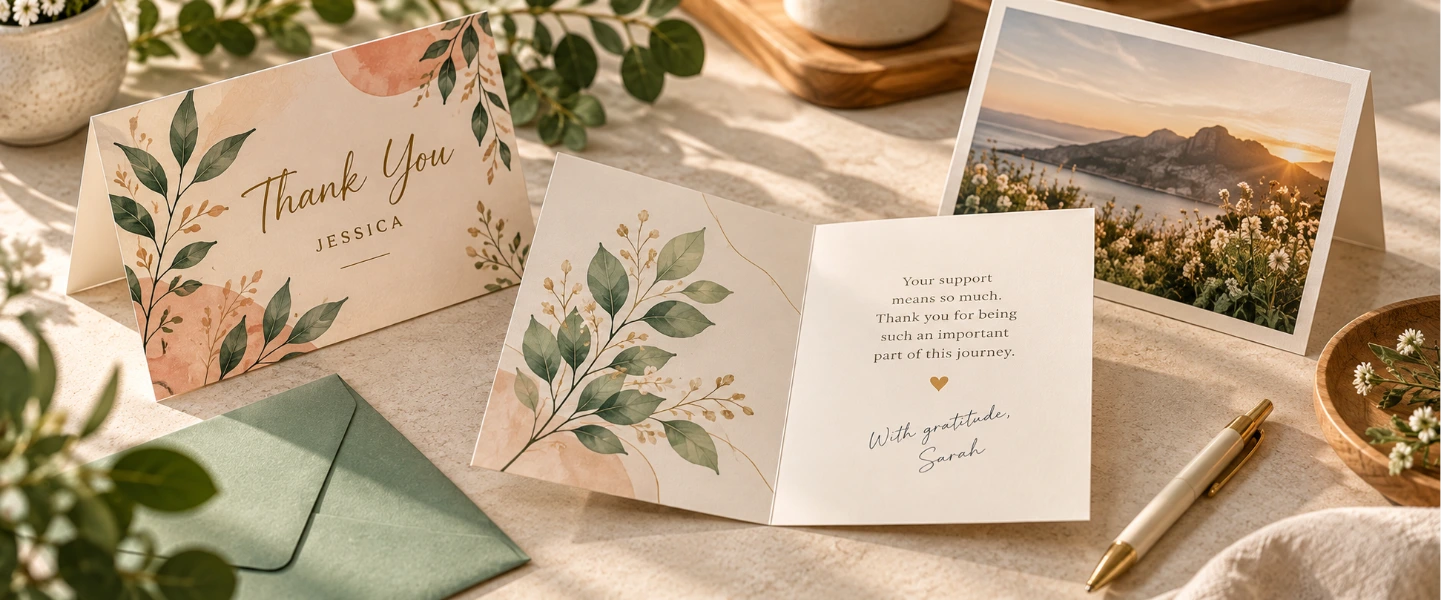
Include the recipient’s name. A personalized greeting immediately makes the card feel more thoughtful.
Use meaningful photographs. Family photos, team pictures, or images from a shared experience can help tell a story.
Reference a specific moment. Mentioning an accomplishment, milestone, or shared memory adds authenticity.
Add a handwritten note. Even when the main design is professionally printed, a short handwritten message can create a more personal connection.
Customize the design for your audience. A card for employees may feature team colors or a shared achievement, while a card for customers might use your brand colors and a message of appreciation.
For more inspiration, explore our guide on how to design personalized thank-you cards.
Personalization for Business Greeting Cards
Businesses can use custom greeting cards to strengthen relationships without making every interaction feel promotional.
For example, a small business could send customers a card featuring a simple illustration of its storefront and a message thanking them for their support.
An employer might create appreciation cards using the company’s visual identity while leaving room for individual notes.
The key is to make the recipient feel valued rather than turning the card into another advertisement.
5. Write a Meaningful Greeting Card Message
A greeting card’s design attracts attention, but its message gives the card meaning.
You don’t need to write a long paragraph to make an impression. A few thoughtful sentences can communicate more than an elaborate message that feels generic.
Start With the Occasion
Think about why you’re sending the card.
Are you celebrating an achievement? Thanking someone for their support? Recognizing a special moment?
Once you’ve identified the purpose, choose a message that fits the relationship.
Greeting Card Message Examples
For customer appreciation
“Thank you for choosing us and supporting our business. We’re grateful to have you as part of our community.”
For employee recognition
“Your hard work and dedication make a difference every day. Thank you for everything you bring to the team.”
For a birthday
“Wishing you a day filled with the people, moments, and little things that make you happiest.”
For a personal thank-you
“Your kindness meant more than you know. Thank you for being there when it mattered.”
For a holiday greeting
“Wishing you a wonderful holiday season and a new year filled with happiness and new opportunities.”
Keep Your Message Natural
Avoid writing something simply because it sounds impressive.
A sincere message that sounds like something you would actually say is often more memorable than an overly formal greeting.
For workplace occasions, you can find additional inspiration in our article on what to write in employee appreciation cards.
6. Choose Images and Illustrations That Support Your Design
Images can make a greeting card more expressive, but they should complement the message rather than overpower it.
The right visual depends on the occasion, your audience, and the feeling you want to communicate.
Photography vs. Illustrations
Photographs are a good choice when you want to highlight real people, memories, or experiences.
They work well for family greetings, wedding announcements, milestone celebrations, and business cards featuring team photos.
Illustrations offer more creative flexibility. They can be playful, elegant, minimal, or highly detailed.
Illustrated designs are particularly useful for birthday cards, seasonal greetings, and branded business cards.
Tips for Choosing the Right Visuals
- Use high-resolution images to avoid blurry printing.
- Choose visuals that match the colors and overall style of the card.
- Avoid overcrowding the design with too many unrelated images.
- Keep important faces, text, and details away from trim edges.
- Make sure you have permission to use any photographs or artwork.
If you’re using a photo as the background, consider adding a subtle overlay or placing your text in a clear area so it remains readable.
7. Choose the Right Card Format and Paper
Your greeting card design doesn’t end on the screen. The physical card contributes to how the recipient experiences it.
Size, paper, and finish can influence how your colors, images, and typography appear once printed.
Folded Greeting Cards
Folded cards are ideal when you want to combine a decorative cover with a longer message inside.
They provide space for personal notes, signatures, and additional details without crowding the front design.
Consider professionally printed custom greeting cards for birthdays, customer appreciation, holidays, and other occasions.
Flat Cards and Postcards
If your message is short and your design focuses on one strong visual, a flat format may be a better option.
Custom postcards can work well for brief thank-you messages, announcements, and promotional greetings.
Their simple format makes them especially useful when you want the main design and message to be immediately visible.
Invitations for Special Occasions
When your card is intended to invite someone to an event, the design should balance visual appeal with practical details.
Make sure the date, time, location, and RSVP information are easy to find.
For weddings, parties, and celebrations, custom invitations can help create a consistent look for your event.
How Paper Affects Your Design
The paper you choose can change the appearance and feel of your card.
Consider these factors:
- Paper weight: Heavier paper can give a card a more substantial feel.
- Matte finishes: Often create a soft, understated appearance.
- Glossy finishes: Can make photographs and vibrant colors appear more vivid.
- Writing space: If you plan to add handwritten notes, check whether the selected paper and finish are suitable for writing.
Before ordering, review the available paper and finishing options for your chosen card format.
8. Prepare Your Greeting Card Design for Printing
A greeting card may look perfect on your computer but turn out differently in print if the file isn’t prepared correctly.
Before submitting your design, check the technical details.
Use High-Resolution Images
For most printed greeting cards, 300 DPI at the final print size is a good target for photographs and raster graphics.
Low-resolution images may appear pixelated or blurry when printed.
Check the Bleed and Safe Area
Bleed is the extra design area extending beyond the final trim edge. It helps prevent unwanted white borders when artwork is cut.
Keep important text and design elements inside the safe area to reduce the risk of trimming them.
Always follow the specific bleed and safe-area requirements provided by your printer.
Check Your Colors
Digital screens use RGB colors, while many commercial printing processes use CMYK.
Some bright colors visible on a screen may look different when printed.
Review your printer’s recommended color settings and, when possible, use print-ready templates.
Proofread Every Detail
Before placing your order, double-check:
- Spelling, grammar, and punctuation
- Names and personalized messages
- Dates and event details
- Logo placement and image quality
- Font readability
- Card orientation and fold placement
If you’re preparing cards for a seasonal campaign, our holiday greeting card printing guide offers additional planning and printing tips.
9. Common Greeting Card Design Mistakes to Avoid
Even a good idea can lose its impact when the design becomes difficult to read or visually overwhelming.
Here are some common mistakes to watch for.
Using too many fonts: Stick to one or two complementary typefaces to maintain consistency.
Overcrowding the design: Give text and images enough space so the card doesn’t feel busy.
Choosing colors with poor contrast: Make sure your greeting remains easy to read against the background.
Using generic messages: Add a personal detail or choose wording that reflects the recipient and occasion.
Ignoring print requirements: Incorrect file dimensions, low-resolution images, or missing bleed can affect the final result.
Forgetting the recipient: A design you personally love may not be appropriate for every audience. Consider who will receive the card before finalizing the colors, message, and style.
10. Greeting Card Design Ideas for Different Occasions
Need some inspiration? Here are a few simple design concepts you can adapt.
Minimalist Thank-You Card
Use a neutral background, elegant typography, and a short message.
Add a small illustration or subtle border to give the card personality without overwhelming the design.
Colorful Birthday Card
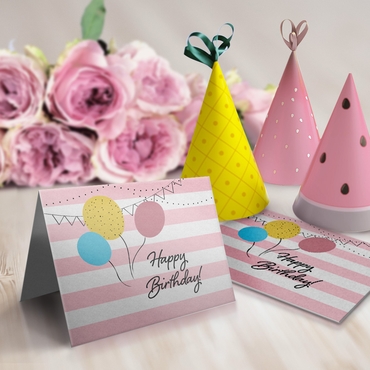
Combine bright colors, bold lettering, and playful illustrations.
Make the birthday greeting the focal point and leave room inside for a personal note.
Professional Customer Appreciation Card
Use your brand colors, a clean layout, and a genuine thank-you message.
Keep the logo subtle so the card feels like a thoughtful gesture rather than an advertisement.
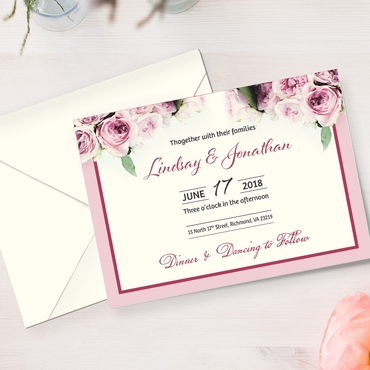
Elegant Wedding Greeting Card
Choose soft colors, classic typography, and simple floral or decorative elements.
A coordinated color palette can help create a timeless appearance.
Photo-Based Family Greeting Card
Use one high-quality photograph as the main visual.
Pair it with a short greeting and avoid adding too many decorative elements that compete with the image.
Frequently Asked Questions About Greeting Card Design
What makes a good greeting card design?
A good greeting card design combines readable typography, balanced colors, thoughtful imagery, and a meaningful message. The design should match the occasion and make the recipient feel appreciated or celebrated.
How do I design my own greeting card?
Start by choosing the occasion and your card format. Select a color palette, choose one or two fonts, and create a simple layout with a clear focal point. Add your message and personal details, then prepare the design according to your printer’s specifications.
What colors are best for greeting cards?
The best colors depend on the occasion and the feeling you want to communicate. Bright colors often work well for celebrations, soft tones for personal messages, and neutral or brand colors for professional greeting cards.
What font should I use for a greeting card?
Choose a font that matches the occasion and remains easy to read. Serif fonts can create an elegant look, sans serif fonts offer a modern appearance, and script fonts add personality to short greetings.
How can I make a greeting card more personal?
Include the recipient’s name, add a meaningful photograph, reference a shared experience, or write a personalized message. A handwritten note can also make a professionally printed card feel more special.
What is the best image resolution for printed greeting cards?
For most greeting card designs, use images at approximately 300 DPI at their final printed size. Always check the printer’s file specifications before submitting your artwork.
Should I choose a folded greeting card or a flat card?
Folded greeting cards are useful when you want a decorative cover and space for a longer message. Flat cards are better for short greetings, simple designs, and announcements where all the important information can fit on one or two sides.
Final Thoughts: Make Every Greeting Card Count
A memorable greeting card doesn’t need an elaborate design. Sometimes, a carefully chosen color palette, a simple layout, and a sincere message are all it takes to make someone smile.
Whether you’re creating cards for friends, family, employees, or customers, focus on the details that matter most to your audience.
When you’re ready to bring your design to life, explore the custom printing options at Overnight Prints and create a greeting card that feels just as thoughtful in someone’s hands as it looks on your screen.