A standard business card only gives you a few square inches to work with. You need room for your name, company, contact information, branding, and possibly a short message.
But what if you also want someone to see your portfolio, book an appointment, browse your services, save your contact details, or visit a specific page?
That is where QR code business cards can help.
A QR code creates a connection between your printed card and digital content. Instead of squeezing more information into the design, you can give recipients a simple way to access it with their phone.
One scan could lead to:
- your website,
- portfolio,
- digital contact card,
- booking page,
- product page,
- or a dedicated landing page.
However, simply placing a QR code on a Business Card does not automatically make it more useful.
If the code is too small, difficult to scan, poorly positioned, or linked to an irrelevant page, it may add clutter without adding much value.
A successful QR code business card requires the right destination, placement, size, contrast, and call to action.
Here’s how to get those decisions right.
Key Takeaways
- QR code business cards connect a physical networking tool with websites, portfolios, contact information, booking pages, and other digital destinations.
- The best QR code destination depends on what you want someone to do after receiving your card.
- A QR code needs enough size, contrast, and clear space around it to scan reliably.
- The back of a business card is often a practical location for a QR code because it provides more room without overcrowding essential contact information.
- A short call to action can tell recipients what they will get when they scan.
- QR codes should usually complement essential business card information rather than replace it.
- Always test your QR code before placing a full business card order.
What Is a QR Code Business Card?
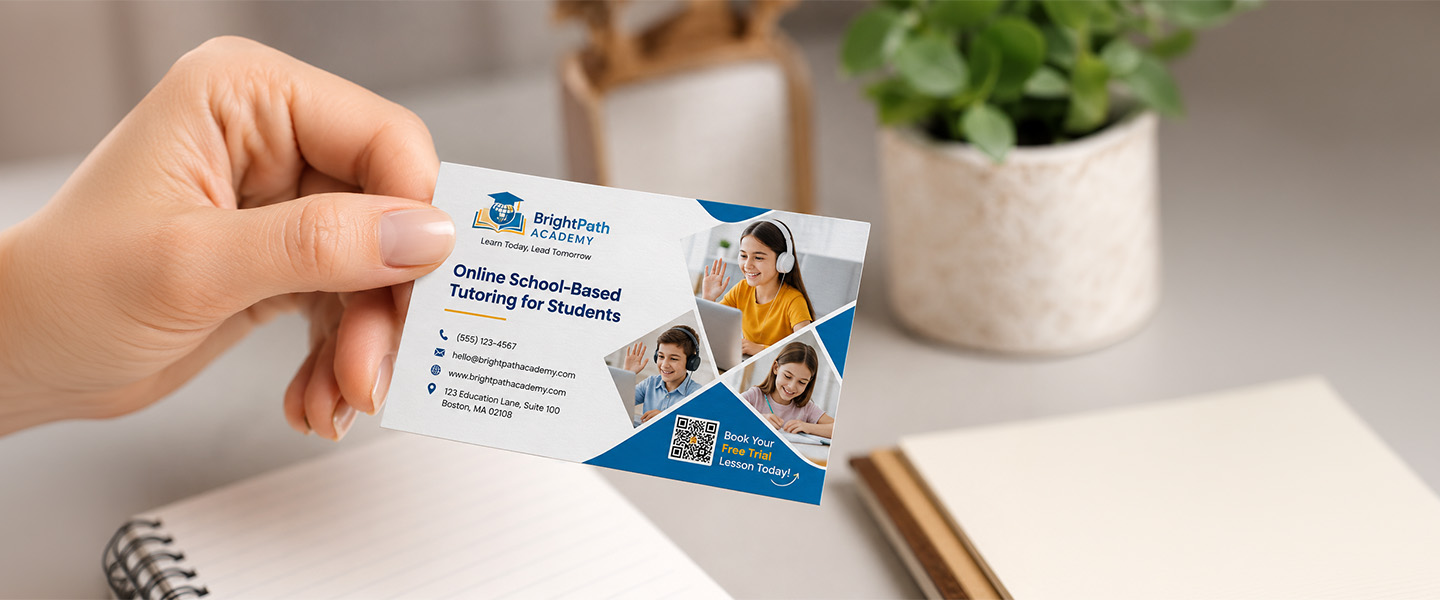
A QR code business card is a printed business card that includes a scannable Quick Response (QR) code.
When someone scans the code with a compatible smartphone, it can give them access to digital information or trigger a specific action.
Depending on how the QR code is created, it can contain or connect people to information such as:
- a website,
- contact information,
- an email address,
- a portfolio,
- a landing page,
- or another online resource.
Adobe InDesign, for example, supports QR codes containing web hyperlinks, plain text, text messages, email information, and business card contact information.
This makes a QR code useful for expanding what your physical business card can do.
Instead of printing a long list of URLs and information on the card, you can provide the essential details in print and use the QR code as a pathway to additional content.
The important word here is additional.
In most cases, recipients should still be able to identify you and understand how to contact you without being required to scan anything.
Think of the QR code as an extra door—not the only entrance.
What Are the Benefits of Adding a QR Code to a Business Card?
QR codes can solve one of the biggest limitations of business cards: physical space.
Share More Information Without Cluttering Your Card
Business cards generally work better when they are easy to scan visually.
Trying to include your:
- phone number,
- email,
- website,
- full address,
- social profiles,
- portfolio URL,
- service list,
- booking information,
- and company description
can quickly create a crowded design.
A QR code allows some of that secondary information to remain digital.
For example, instead of listing five portfolio categories, a photographer could include:
View My Portfolio
followed by a QR code.
The physical card remains simple while the digital destination provides the detail.
Make It Easier to Save Contact Details
A QR code can provide access to digital contact information that recipients can save or reference on their devices.
This can be useful at:
- networking events,
- conferences,
- trade shows,
- meetings,
- and other situations where people may exchange several business cards in a short period.
The physical card creates the introduction.
The QR code helps continue the connection digitally.
Send People Directly to Your Website or Portfolio
A memorable business card is useful.
A memorable business card that also makes your work immediately accessible can be even more practical.
This is particularly valuable for:
- designers,
- photographers,
- architects,
- freelancers,
- consultants,
- agencies,
- and other professionals whose work is easier to understand visually.
Instead of asking someone to remember to search for your portfolio later, the card can provide direct access.
Connect Offline Networking With Digital Experiences
Business cards exist in the physical world.
Websites, booking systems, portfolios, product pages, and contact forms exist online.
A QR code can connect the two.
Someone meets you at an event, receives your card, scans it, and continues interacting with your business digitally.
That makes the business card more than a static piece of contact information.
It becomes an entry point.
Make Your Business Card More Interactive
Traditional business cards tell people who you are.
A QR code can also tell them what to do next.
For example:
View My Portfolio
Save My Contact
Visit Our Website
Book an Appointment
The QR code gives the card a specific next action instead of leaving the recipient to decide what to do with the information.
What Should Your Business Card QR Code Link To?
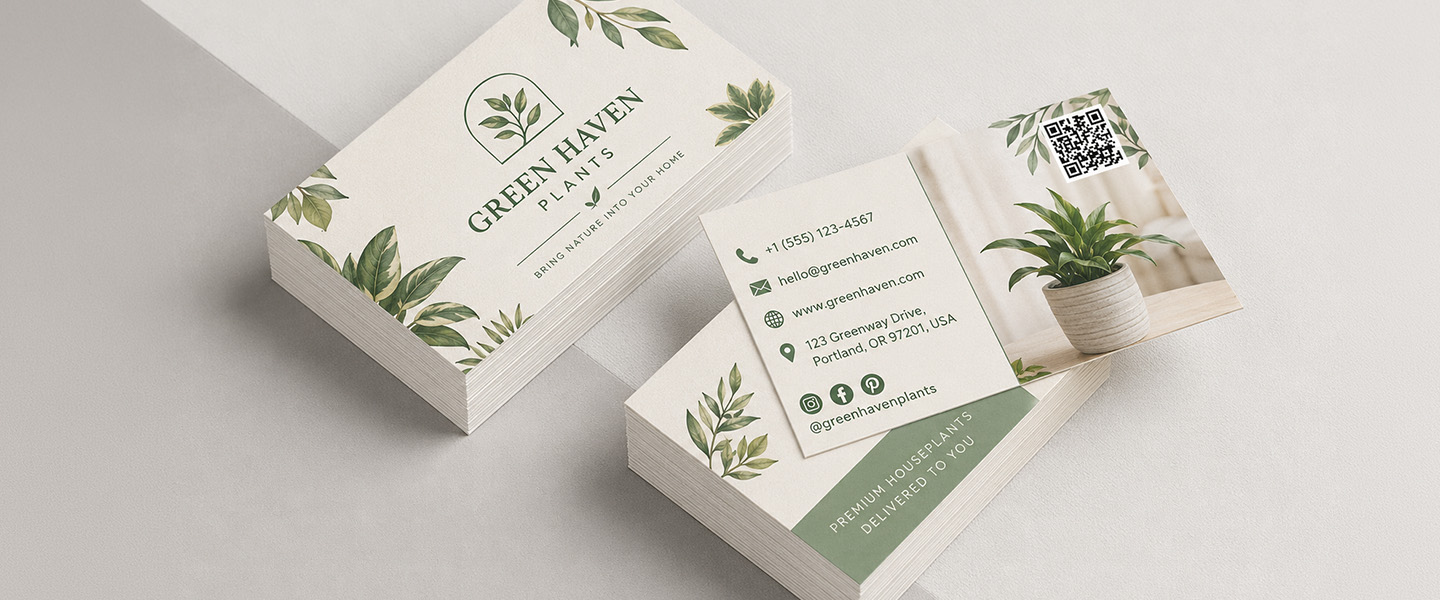
This may be the most important decision in the entire design.
Do not start by asking:
“What can I link to?”
Start by asking:
“What do I want this person to do next?”
The destination should match the reason you are handing someone the card.
Your Website
For general networking, your main website is one of the simplest options.
This works particularly well if your homepage clearly explains:
- who you are,
- what you offer,
- who you serve,
- and how to contact you.
Avoid sending someone to a homepage that provides no obvious next step.
The QR code has already removed one step from the journey. The website should not add unnecessary ones back.
A Digital Contact Card
If your primary goal is helping someone keep your contact information, consider linking to a digital contact experience or encoding appropriate contact information.
This can be useful for:
- sales professionals,
- executives,
- recruiters,
- consultants,
- and frequent networkers.
It makes the QR code’s purpose very clear:
Save My Contact
Your Portfolio
For creative professionals, a portfolio may be more valuable than a general homepage.
This is particularly useful for:
- graphic designers,
- photographers,
- architects,
- illustrators,
- videographers,
- artists,
- and creative agencies.
Someone who has just met you may already know your name and profession.
What they really need to see next is your work.
A Booking or Appointment Page
Service-based businesses can use the QR code to shorten the path between interest and action.
For example:
A consultant could link to a consultation booking page.
A photographer could link to an inquiry or session page.
A real estate professional could link to an appointment or contact page.
A beauty professional could link to a booking page.
The card can then support a clear call to action:
Book an Appointment
A Product or Service Page
Sometimes you are networking around one particular offer.
In that situation, sending people to your entire website may create unnecessary choices.
A QR code can instead lead directly to:
- a service page,
- a product collection,
- a specific solution,
- an event,
- or a relevant offer.
This can make the card particularly useful for trade shows, sales meetings, and industry-specific events.
A Dedicated Landing Page
A dedicated landing page gives you more control over what someone sees after scanning.
For example, it could include:
- a short introduction,
- your contact information,
- portfolio examples,
- your primary services,
- a booking button,
- and links to additional resources.
This can be useful when there is no single existing webpage that perfectly matches the context in which you distribute your cards.
The rule is simple:
One QR code should have one clear purpose.
Do not make recipients scan first and figure out why afterward.
Where Should You Put a QR Code on a Business Card?
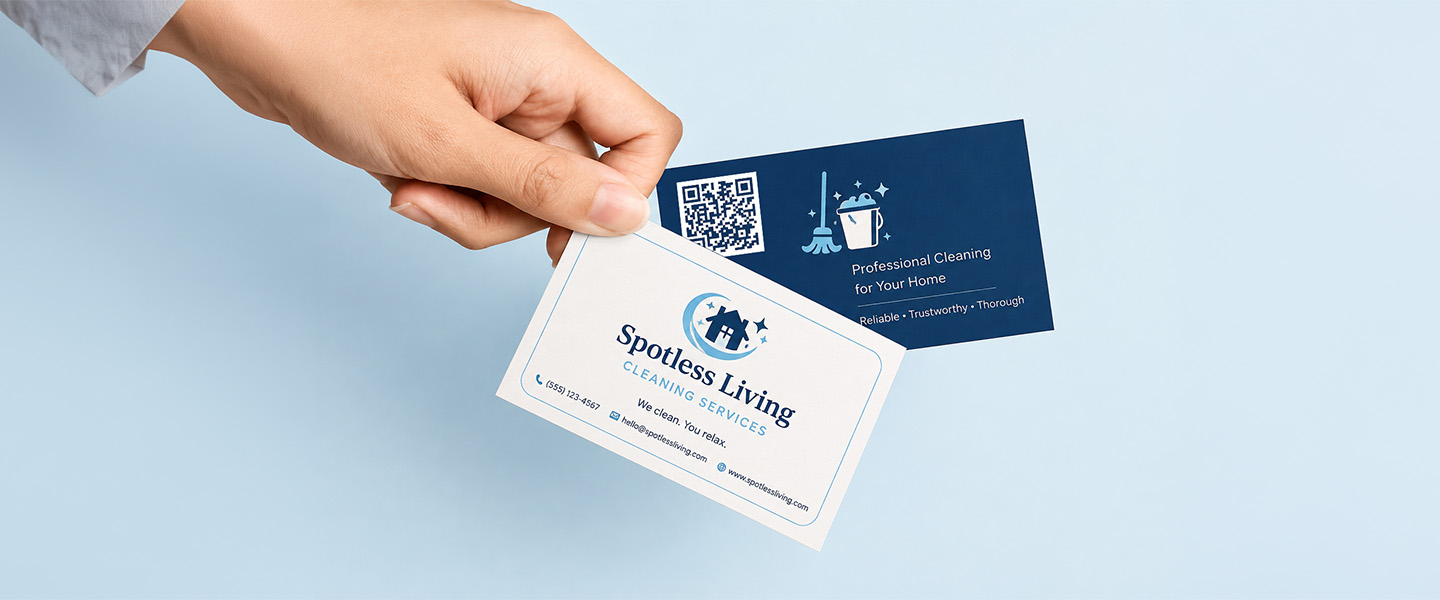
A QR code needs enough space to remain visually clear and reliably scannable.
That makes placement important.
| Placement | Best For | Consideration |
| Back of Card | Clean, minimalist designs | Gives the QR code dedicated space |
| Front Corner | Simple layouts | Must not compete with essential contact details |
| Centered on Back | QR-focused CTA | Works well with a short instruction |
| Integrated Into Design | Creative brands | Scanability must remain the priority |
Back of the Card
For many designs, this is the easiest solution.
The front can contain your essential identity:
Name
Job Title
Company
Primary Contact Information
The back can then contain the QR code and a short call to action.
For example:
View My Portfolio
[QR CODE]
This creates a clear hierarchy and gives the code room to breathe.
Overnight Prints offers double-sided Business Cards, making the second side useful when you want to separate digital calls to action from primary contact information.
Front Corner
A QR code can work on the front when the overall design is simple.
However, avoid forcing it into an already crowded corner alongside your phone number, email, logo, and other information.
If adding the QR code makes the essential information harder to read, move it.
Centered on the Back
If scanning is the primary call to action, the code can become the focus of the reverse side.
Pair it with a short instruction explaining the benefit.
For example:
Save My Contact
or
See My Latest Work
That is usually more useful than simply printing an unexplained QR code.
Integrated Into the Design
Creative businesses may want the QR code to feel like part of the visual identity.
That can work—but functionality should come first.
Do not distort the code, bury it inside a complicated illustration, or reduce its contrast simply to make it look more decorative.
A QR code that perfectly matches the design but does not scan reliably is not doing its job.
How to Design a QR Code Business Card That Actually Works
A good QR code needs to work in the real world, not just look good on a design screen.
Make the QR Code Large Enough to Scan
Business cards are small, which makes it tempting to shrink the QR code to preserve design space.
Be careful.
A QR code that becomes too small can be more difficult for devices to read, especially after printing.
The required size can vary depending on factors such as:
- the amount of information encoded,
- scanning distance,
- printing quality,
- and the complexity of the QR code.
Do not rely on an arbitrary minimum size without testing your actual code.
Print a physical test at the intended dimensions and scan it.
Maintain Strong Contrast
QR codes rely on visual differentiation between their modules and background.
A traditional dark code on a light background provides straightforward contrast.
Custom colors may also work, but readability needs to remain the priority.
Avoid combinations where the code nearly disappears into the background.
Leave Enough Space Around the Code
Do not surround your QR code tightly with:
- text,
- borders,
- logos,
- patterns,
- illustrations,
- or other graphics.
QR codes require clear surrounding space, often called a quiet zone, to help scanners distinguish the code from nearby visual elements.
Treat that empty space as part of the QR code—not wasted design space.
Add a Clear Call to Action
Tell people why they should scan.
Instead of displaying only the code, try:
View My Portfolio
Save My Contact
Visit Our Website
Book an Appointment
Explore Our Services
See My Work
A specific benefit gives the recipient a reason to interact with the code.
Keep the Rest of the Card Simple
A QR code already introduces a visually complex square pattern.
Give it space.
If the card also contains several fonts, multiple images, icons, patterns, and long blocks of information, the overall design can become unnecessarily busy.
Prioritize:
- your identity,
- essential contact information,
- the QR action.
Everything else should earn its place.
Test Before Printing
Never assume the QR code works because it looks correct.
Before ordering your full quantity:
- Scan the code from the design.
- Print a test at actual business-card size.
- Scan the physical version.
- Try more than one smartphone when possible.
- Confirm the destination loads correctly.
- Test the page on mobile.
- Check the code under different lighting conditions.
- Verify that the final artwork still contains the correct QR code.
Do this before printing hundreds of cards.
Static vs. Dynamic QR Codes: What’s the Difference?
Another decision to make before printing is whether to use a static or dynamic QR code.
Static QR Codes
A static QR code directly contains its destination or other encoded information.
Once created and printed, that encoded information does not change.
For example, if a static QR code contains:
yourwebsite.com/portfolio
and you later want it to lead somewhere else, you generally need to generate a new QR code and print new cards.
Static codes can work well when the destination is stable.
Examples include:
- a long-term website,
- permanent portfolio page,
- email information,
- or contact information unlikely to change.
Adobe Express, for example, creates static QR codes, meaning changing the destination requires generating another code.
Dynamic QR Codes
Dynamic QR codes generally work through a redirect or management service.
Depending on the provider, this can allow you to change the destination later without changing the printed QR pattern.
Some services may also provide features such as scan tracking or analytics.
This can be useful when:
- campaign destinations may change,
- portfolio pages move,
- offers change,
- you want to measure scans,
- or you plan to keep the same printed cards for an extended period.
However, dynamic QR functionality depends on the service provider.
Check whether the service has:
- subscription requirements,
- limits,
- expiration conditions,
- or other terms
before printing the code permanently on your cards.
Which One Should You Choose?
Ask yourself:
Will this destination still make sense for the entire lifespan of these cards?
If yes, a static QR code may be enough.
If you expect the destination to change, a dynamic QR solution may provide more flexibility.
Make this decision before ordering a large quantity.
Which Professionals Benefit Most From QR Code Business Cards?
Almost any business can use a QR code, but the feature becomes especially useful when there is a valuable digital experience behind it.
Real Estate Agents
A QR code could lead to:
- an agent profile,
- current listings,
- contact information,
- a property search page,
- or an appointment page.
This can help move an in-person introduction toward a useful digital resource.
Photographers and Designers
A portfolio is often more persuasive than a long explanation.
A QR code can take prospective clients directly from the business card to examples of previous work.
Consultants and Freelancers
Independent professionals can link to:
- service pages,
- case studies,
- booking options,
- contact information,
- or a dedicated professional landing page.
Restaurants and Hospitality Professionals
Professionals in hospitality can direct business contacts toward relevant company information, services, venues, event information, or contact pages.
The destination should reflect why the card is being distributed rather than simply sending everyone to the same generic page.
Sales Professionals
Salespeople can connect leads directly to:
- product information,
- demonstrations,
- relevant service pages,
- case studies,
- or contact information.
This can be particularly useful at conferences and trade shows where prospects receive information from multiple companies.
Event and Creative Professionals
Event planners, videographers, entertainers, designers, and other creative professionals can provide quick access to:
- project examples,
- portfolios,
- event information,
- testimonials,
- and inquiry pages.
The physical card creates the introduction.
The digital destination provides the proof.
QR Code Business Card Mistakes to Avoid
Making the QR Code Too Small
Do not sacrifice functionality to save a tiny amount of design space.
If the code cannot scan reliably at the final printed size, it should be enlarged or removed.
Using Poor Color Contrast
A QR code should be visually distinct from its background.
Creative colors are only useful if the code still functions reliably.
Placing the Code Too Close to the Card Edge
Business card artwork needs to account for trim, bleed, and safe areas.
Do not place the QR code so close to an edge that trimming could interfere with the code or its required clear space.
Use the printer’s template and safe-zone specifications when positioning it.
Linking to a Broken or Outdated Page
Test the destination—not just the QR code.
A perfectly scannable code leading to a 404 page is still a failed experience.
Sending People to a Poor Mobile Experience
People scanning a business card QR code will normally be using a phone.
The destination should therefore work well on mobile.
Check:
- text size,
- buttons,
- navigation,
- loading,
- forms,
- images,
- and calls to action.
Not Explaining What Happens After Scanning
An unexplained QR code creates uncertainty.
A short CTA removes it.
“View My Portfolio” is more persuasive than simply displaying a square code and hoping someone becomes curious.
Putting Too Many QR Codes on One Card
One for Instagram.
One for LinkedIn.
One for your website.
One for your portfolio.
One for your contact details.
At that point, the QR codes are creating the same clutter they were supposed to solve.
Choose the most important destination.
Relying Entirely on the QR Code
Someone should not have to scan your card simply to learn your name or figure out what company you represent.
Keep the essential information visible.
Failing to Test Before Printing
This is one of the most expensive mistakes because you may not discover it until the cards arrive.
Test the final artwork at physical size before placing the full order.
Do QR Codes Replace Traditional Business Card Information?
Usually, no.
QR codes are most useful when they extend the business card rather than replace its basic purpose.
At minimum, most professional business cards should make it easy to identify:
- your name,
- company or brand,
- job title when relevant,
- and a primary way to contact you.
Depending on your business, you might also include:
- a phone number,
- email address,
- website,
- or another important contact method.
The QR code can then provide access to everything that does not need to occupy permanent space on the card.
For example:
Front
Maria Smith
Creative Director
Studio Example
maria@example.com
Back
View My Portfolio
[QR CODE]
The recipient immediately knows whose card it is and why they might want to scan.
For a complete breakdown of what deserves space on the card itself, read What Information Should You Actually Put on a Business Card?.
How QR Codes Work With Different Business Card Designs
The QR code should also fit the overall card format.
Standard Business Cards
A standard 3.5″ × 2″ Business Card provides enough room for a QR code when the layout is planned carefully.
Using the back can make it easier to maintain a clean front.
Premium Business Cards
Premium Business Cards can combine QR codes with more distinctive paper and finish choices.
Overnight Prints specifically supports using QR codes within custom Premium Business Card designs, including double-sided layouts.
When combining a QR code with premium finishes, remember that scanability still comes first.
Do not let decorative effects interfere with the readability of the code.
Square and Alternative Sizes
Alternative card dimensions can create interesting QR-code layouts, but available space and proportions change.
Plan the QR code after choosing your final card dimensions rather than assuming the same layout will work across every size.
Overnight Prints currently offers standard, square, mini, and Euro-size business card options.
For a comparison, see Business Card Sizes Explained: US vs. Euro vs. Square.
QR Code Business Card Design Checklist
Before sending your business card to print, check each of these:
- Is the QR code destination correct?
- Does the destination work well on mobile?
- Is the code large enough to scan reliably?
- Is there strong contrast?
- Is there enough clear space around the code?
- Is the code safely away from trim areas?
- Does the CTA explain why someone should scan?
- Is essential contact information still visible?
- Does the card remain visually balanced?
- Have you printed and scanned a test at actual size?
- Have you tested it with more than one device when possible?
If the answer to all of these is yes, your QR code is much more likely to add value rather than simply occupy space.
Why Choose Overnight Prints for Custom Business Cards?
Overnight Prints offers multiple custom business card formats, paper stocks, finishes, and design options for professionals who want to combine physical networking with digital content.
You can create or upload artwork containing your QR code and choose from options such as standard, square, mini, Euro, premium, thick, and layered business cards.
For a traditional format, explore Business Cards. For designs that pair QR codes with more distinctive finishes and paper options, compare Premium Business Cards.
Whichever format you choose, build the QR code into the layout from the beginning rather than adding it as an afterthought.
Frequently Asked Questions
Should I put a QR code on my business card?
A QR code can be useful when you have a valuable digital destination that would help the recipient take the next step.
Examples include a portfolio, website, contact card, booking page, or relevant service page.
If the QR code does not provide useful information beyond what is already printed on the card, it may not be necessary.
What should a business card QR code link to?
The best destination depends on your goal.
For general networking, that may be your website or digital contact information. Creative professionals may prefer a portfolio, while consultants and service businesses may benefit from a booking or service page.
Choose the destination based on what you want the recipient to do next.
How big should a QR code be on a business card?
There is no single size that works for every QR code because scanability can depend on the amount of encoded information, printing quality, design, and expected scanning distance.
Avoid shrinking the code simply to fit the layout. Print it at the intended physical size and test it on multiple devices before ordering.
Where should I place a QR code on my business card?
The back is often a practical location because it gives the QR code dedicated space without competing with your primary contact information.
A corner of the front can also work when the design is simple and provides enough clear space around the code.
Can I put a QR code on the back of a business card?
Yes. In fact, the back can be one of the cleanest placements.
You can pair the code with a simple CTA such as “View My Portfolio,” “Save My Contact,” or “Visit Our Website.”
Do QR codes work on matte and glossy business cards?
QR codes can be printed on different card stocks and finishes, but contrast, reflections, print quality, and the surrounding design can affect real-world scanning.
Always test the final design and consider how the selected finish interacts with the code.
What is the difference between a static and dynamic QR code?
A static QR code directly contains fixed information or a destination. Changing that information generally requires generating and printing a new code.
Dynamic QR codes typically use a managed redirect, which may allow the destination to be changed later. Features and conditions vary by provider.
Should I still include contact information if my business card has a QR code?
Yes, in most cases.
Recipients should be able to identify you and find an essential contact method without being forced to scan the card.
Use the QR code for additional information or a convenient next action.
Conclusion
QR codes can make business cards much more useful without forcing additional information into a small physical space.
They can connect an in-person introduction directly to:
- your website,
- portfolio,
- contact information,
- booking page,
- service page,
- or another relevant digital experience.
But the QR code itself is not what makes the card effective.
The destination and execution matter.
Choose one meaningful next step.
Give the QR code enough size, contrast, and clear space.
Tell recipients what they will get when they scan.
Test the final printed design before ordering in quantity.
And keep your essential contact information visible.
The goal is not to replace the traditional business card.
It is to make the physical card a better bridge between an offline introduction and whatever should happen next online.
Explore Business Cards and Premium Business Cards from Overnight Prints to create a custom design that combines essential contact information with a well-placed QR code.
Resources
- Adobe – Generate QR Codes in InDesign – Guidance for creating print-ready QR codes containing web links, contact information, email, text, and other data.
- Adobe – Modify and Style QR Codes – Information about resizing, styling, and working with QR codes within professional print layouts.
- Adobe Express – Add QR Codes to Designs – Guidance for creating static QR codes and incorporating them into designs such as business cards.
- AIGA – The Professional Association for Design – Professional resources related to graphic design, typography, visual communication, and design practice.
- GS1 – Standards organization providing technical information and guidance related to QR codes and other data carriers.