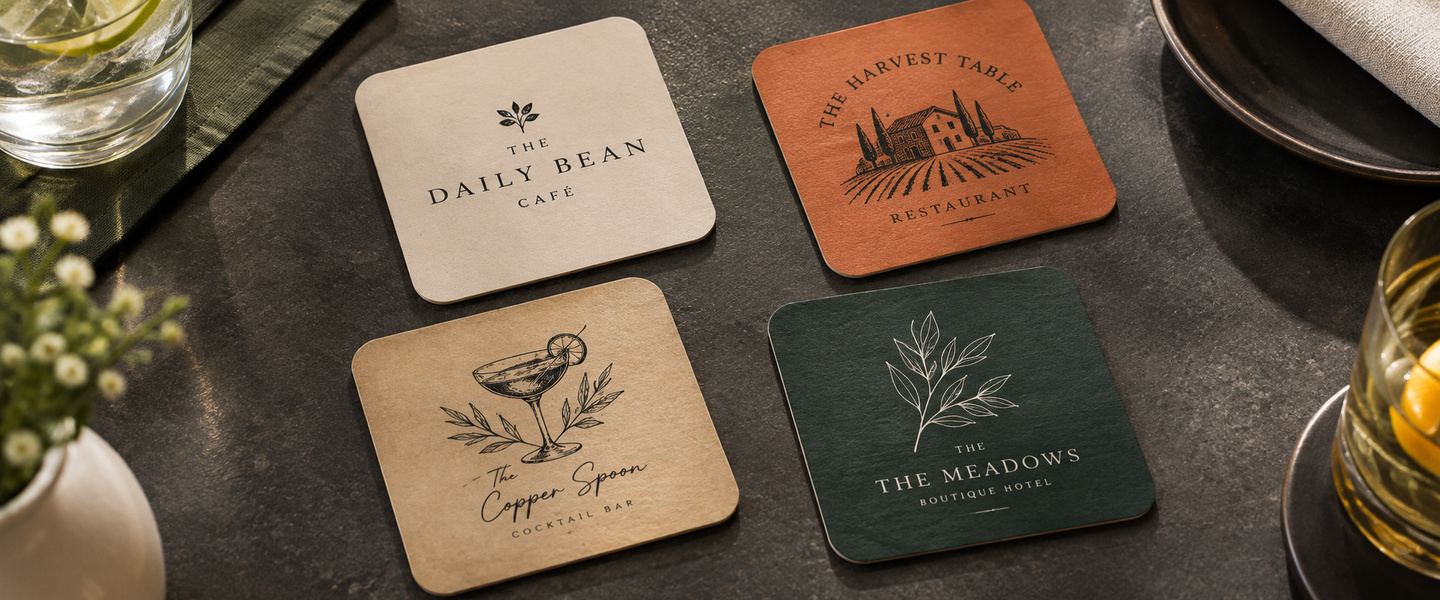
A drink coaster might seem like a small detail, but it can add personality to a restaurant table, reinforce a business’s branding, or become a memorable keepsake from a special event.
Whether you’re opening a café, planning a wedding, organizing a corporate event, or refreshing your restaurant’s branding, custom coasters give you a creative space to share a message without overwhelming the table.
The challenge is deciding what to put on them.
Should you feature your logo, a playful message, an illustration, or a QR code? And how do you create a design that looks just as good beneath a drink as it does on its own?
In this guide, we’ll explore custom coaster design ideas for restaurants and events, along with practical tips for choosing colors, typography, layouts, and artwork that make your coasters stand out.
Why Custom Coaster Design Matters
Coasters serve a practical purpose: they provide a surface for drinks and help protect tables from moisture and marks.
But when they’re customized, they can also become part of a larger brand or event experience.
For restaurants and cafés, a branded coaster can complement menus, signage, and table settings. For events, it can reinforce a theme or give guests a small personalized detail to remember.
Custom coaster designs can help you:
- Reinforce your brand’s visual identity.
- Add personality to restaurant and bar tables.
- Highlight a special event or celebration.
- Share short messages or promotional offers.
- Create coordinated event stationery.
- Encourage guests to engage with your business.
The most effective designs balance creativity with readability. A coaster doesn’t need to communicate everything about your business. It just needs to deliver one clear visual or message.
If you’re planning a project, explore custom coaster printing from Overnight Prints to see the available product options.
10 Custom Coaster Design Ideas for Restaurants and Events
From minimalist branding to interactive designs, there are many ways to make printed coasters feel distinctive.
Here are ten ideas to inspire your next project.
1. Keep It Simple With a Logo-Focused Design
Sometimes the most effective coaster design is also the simplest.
Place your business logo in the center, surrounded by enough empty space to make it stand out.
This works particularly well for restaurants, cafés, hotels, and businesses with recognizable branding.
Design idea: Use a solid background in your brand color, with a contrasting logo in the middle.
If your logo includes small details, simplify the artwork so it remains recognizable at coaster size.
2. Add a Short, Playful Message
Coasters are a natural place for short messages that match your business’s personality.
A café might use:
- “Good Days Start With Coffee”
- “Take a Little Coffee Break”
- “Your Favorite Seat Is Waiting”
A casual restaurant could feature:
- “Good Food. Good Company.”
- “Stay for Another Round”
- “Made for Moments Like This”
Keep the wording brief. A coaster is usually viewed quickly, and part of the design may be covered by a glass.
Choose a message that feels authentic to your brand rather than adding a slogan just to fill space.
3. Feature Custom Illustrations
Illustrations can give coasters a distinctive visual style.
For example, a neighborhood restaurant could use drawings of local landmarks, while a coffee shop might feature illustrated coffee beans, cups, or brewing equipment.
Other ideas include:
- Botanical illustrations
- Abstract geometric patterns
- Minimal line drawings
- Vintage-inspired artwork
- Seasonal illustrations
- Food and beverage motifs
For a cohesive look, use the same illustration style across your coasters, menus, and other printed materials.
4. Create a Collectible Coaster Series
Instead of printing one design, create a collection of related coasters.
A restaurant might feature four illustrations representing different menu items. A café could design a series inspired by coffee-growing regions.
For example:
Series theme: Four Seasons at Our Café
- Spring: Botanical illustration
- Summer: Iced coffee artwork
- Fall: Warm autumn colors
- Winter: Cozy coffee cup design
Collectible designs can give returning customers something new to notice.
They also work well for seasonal campaigns or limited-edition events.
5. Highlight a Signature Menu Item
Restaurants and bars can use coasters to feature a signature drink or menu item.
For example, a cocktail bar could display a simple illustration of its house cocktail, while a café might showcase its specialty latte.
Keep the design focused on one product rather than trying to fit an entire menu onto a small surface.
Design idea: Place a product illustration in the center, with the drink name in a bold font and a subtle logo beneath it.
For additional menu information, direct customers to your regular menu or website.
6. Include a QR Code With a Clear Purpose
A QR code can connect a printed coaster to digital content.
Restaurants might link to:
- An online menu
- A reservation page
- A loyalty program
- An upcoming event
- A customer feedback form
For example, a coaster could say:
“Explore Our Seasonal Menu”
Place a QR code below the message with enough clear space around it for reliable scanning.
Remember that a glass may cover the center of the coaster. If scanning is important, consider placing the code where it remains accessible when the drink is moved.
Always test the QR code at the final printed size before ordering.
7. Design Coasters Around a Special Event
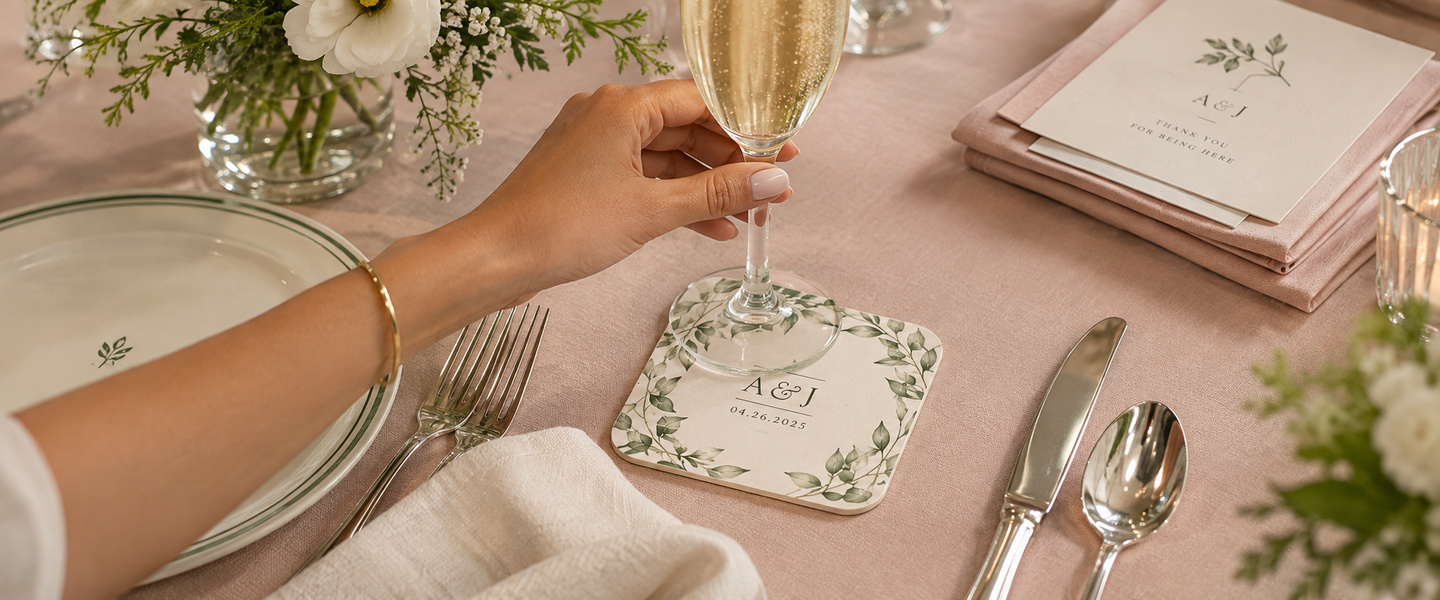
Custom coasters can reinforce the theme of a wedding, birthday, anniversary, or corporate celebration.
For example, wedding coasters might feature the couple’s initials, wedding date, and a small floral illustration.
A company anniversary could include a milestone number and a short celebratory message.
Design idea: Use the event’s existing color palette and typography so the coasters coordinate with invitations, menus, and table decorations.
For a consistent stationery set, pair them with custom invitations.
8. Use Minimalist Typography
A typography-focused coaster can look modern and sophisticated without requiring detailed artwork.
Try a large word or short phrase in the center, supported by smaller text underneath.
Examples include:
CHEERS
To good company.
Or:
SIP. RELAX. REPEAT.
This approach works particularly well for contemporary restaurants, cocktail bars, and corporate events.
Choose one or two complementary fonts and avoid unnecessary decorative elements.
9. Create Seasonal Coaster Designs
Seasonal designs give restaurants and businesses an opportunity to refresh their table presentation throughout the year.
Ideas include:
- Spring: Fresh botanical patterns
- Summer: Bright colors and refreshing drink illustrations
- Fall: Warm earthy tones and seasonal motifs
- Winter: Elegant festive details
Seasonal coasters can also support limited-time menu promotions or special events.
For a coordinated campaign, use similar colors and messaging across custom posters and flyers.
10. Make the Coaster Part of an Interactive Experience
Coasters can also invite guests to participate in something.
For example, a restaurant could print a short conversation starter on each coaster.
A corporate event might feature an icebreaker question, while a wedding could include a fun fact about the couple.
Examples:
- “What’s Your Favorite Travel Destination?”
- “What’s the Best Meal You’ve Ever Had?”
- “What’s One Thing You’re Celebrating Today?”
Keep the questions short and easy to understand.
Interactive coasters can create small moments of engagement without requiring guests to use their phones.
Custom Coaster Ideas by Business or Event Type
Different settings call for different design approaches.
Here are several examples to help you choose a style.
| Business or Event | Coaster Design Idea | Recommended Elements |
| Coffee shop | Minimal coffee illustration | Logo, warm colors, short message |
| Restaurant | Signature menu item | Product illustration, brand colors |
| Cocktail bar | Vintage-inspired typography | Bold headline, decorative border |
| Brewery | Collectible illustrated series | Distinct artwork, consistent logo |
| Wedding | Personalized monogram | Initials, date, floral details |
| Corporate event | Branded milestone coaster | Company logo, event name, date |
| Hotel | Local destination artwork | Landmark illustration, subtle branding |
| Fundraiser | Event-themed message | Cause, event name, optional QR code |
The right approach depends on your audience and the atmosphere you want to create.
For example, an upscale restaurant might prefer a minimal logo and refined typography, while a casual café could experiment with colorful illustrations and playful messages.
What Should You Include on a Custom Coaster?
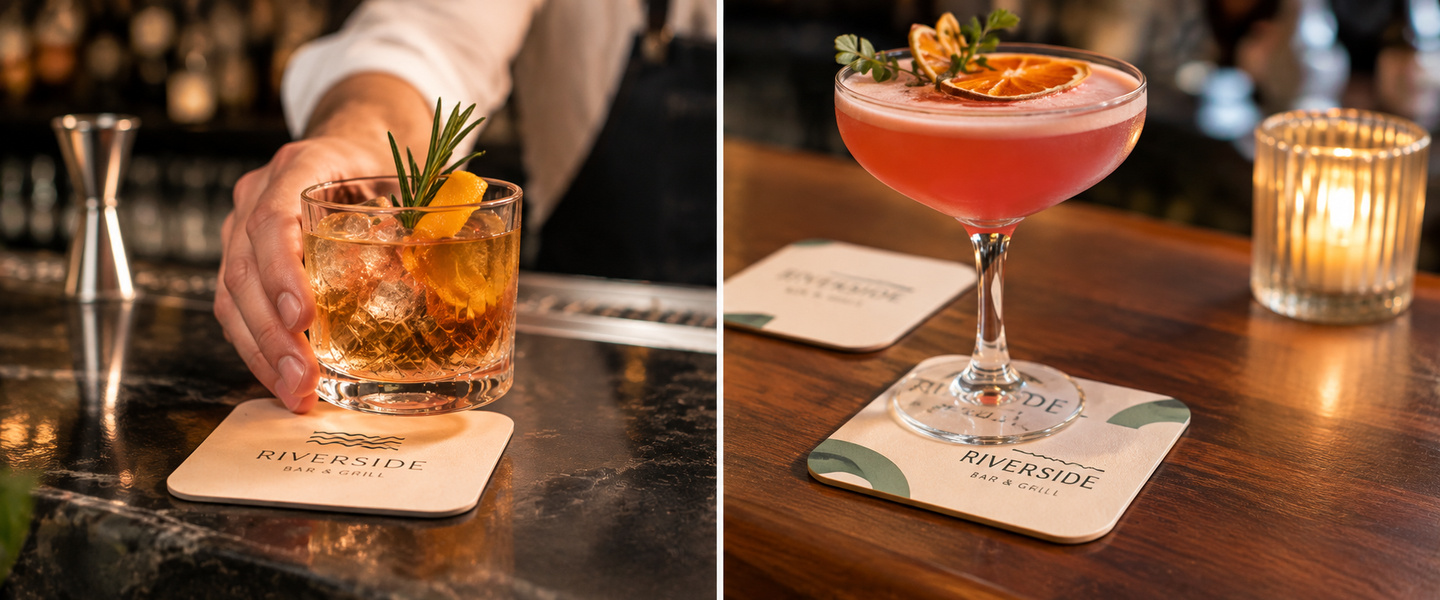
Because coasters have limited space, every design element should serve a purpose.
Here are the most useful elements to consider.
Your Logo or Event Name
For business coasters, a logo helps connect the design to your brand.
For event coasters, the event name or couple’s initials can serve the same purpose.
Keep this element prominent without making it oversized.
One Main Message
Choose a single message, such as a short slogan, event date, or call to action.
Avoid adding multiple paragraphs or long descriptions.
Consistent Colors
Use colors that complement your brand or event theme.
For example, a restaurant with a warm, natural aesthetic might use terracotta, cream, and dark green.
A modern corporate event might use navy, white, and a single accent color.
Readable Typography
Choose fonts that remain clear at the final printed size.
Decorative fonts can work for a short word or headline, but simple typefaces are generally better for smaller supporting text.
Optional Contact Information
You don’t always need to include a website, phone number, or social media handle.
For restaurant branding, a logo may be enough.
For promotional events, a short website address or QR code might be useful.
The goal is to keep the coaster attractive and easy to understand.
What Size Should You Choose for Custom Coasters?
Overnight Prints offers two custom coaster sizes: 3.5″ × 3.5″ and 4″ × 4″, both with 3/8″ rounded corners.
The best size depends on your artwork and how much information you want to include.
| Coaster Size | Best For | Design Tip |
| 3.5″ × 3.5″ | Minimalist logos, monograms, short slogans, and simple illustrations | Keep the artwork centered and avoid small text |
| 4″ × 4″ | Detailed illustrations, event branding, QR codes, and promotional messages | Use the additional space for a clear visual hierarchy |
Both sizes work for restaurants, cafés, weddings, and corporate events.
For a minimalist restaurant logo, the smaller format may be sufficient. If you’re designing a coaster with an event name, date, and decorative artwork, the larger format gives you more room.
Remember that both options have rounded corners, so avoid placing important design elements too close to the edges.
Single-Sided vs. Double-Sided Custom Coasters
Another design decision is whether to print on one or both sides of your coaster.
Overnight Prints offers single-sided and double-sided printing, giving businesses and event planners more flexibility.
Single-Sided Coasters
Single-sided printing works well for simple designs featuring a logo, monogram, or short message.
For example, a café could print its logo on one side while leaving the reverse unprinted.
Double-Sided Coasters
Double-sided printing allows you to create two complementary designs.
A restaurant could feature its logo on one side and a QR code linking to its menu on the other.
For a wedding, one side could display the couple’s initials, while the other features the wedding date or a short celebratory message.
What Materials Are Available?
Overnight Prints currently lists two material options:
- FAT Thick 34pt Card Stock: An option for businesses looking for a substantial cardstock coaster.
- Sandwich Color Filled Premium Paper: An alternative for designs where the paper’s layered color construction is part of the visual presentation.
Choose the material based on your preferred appearance, design, and budget. Review the product specifications before ordering, particularly if the coasters will be used regularly with cold drinks.
How to Design Coasters That Look Professional
A strong coaster design should remain attractive and readable at a small size.
These practical tips can help.
Start With the Final Dimensions
Create your artwork using the exact size required for the coaster you’re ordering.
Don’t design a large graphic and assume it will look equally good when reduced.
Small text, thin lines, and detailed illustrations may become difficult to see at the final size.
Keep Important Content Away From the Edges
Leave enough space around logos, text, and QR codes.
If the printing process requires bleed, extend background colors and images beyond the trim line.
Keep essential content inside the recommended safe zone.
Use the printing provider’s official template rather than estimating these measurements.
Use High-Resolution Artwork
For professional printing, 300 dpi is a common recommendation for raster images at their final printed dimensions.
Vector artwork is especially useful for logos, icons, and typography because it can remain sharp when resized.
For more guidance, read our How to Prepare Files for Printing article.
Choose Colors With Enough Contrast
Make sure the text stands out from the background.
For example, dark navy text on a cream background is generally easier to read than pale gray text on white.
If you’re using a photograph or illustration as the background, consider placing text over a solid-color area.
Think About the Coaster in Use
A coaster is usually partially covered by a glass or cup.
That means your most important message may not always be visible.
Consider placing decorative details around the edges and using a clear central design that remains recognizable when the coaster is uncovered.
If you include a QR code, test whether the intended interaction is practical in a real table setting.
Review the Final Artwork
Before printing, check:
- Spelling and punctuation
- Logo quality
- Color consistency
- Text readability
- Bleed and safe zones
- QR code functionality
- Event dates and names
- Artwork dimensions
A small mistake can become noticeable when repeated across hundreds of coasters.
How to Coordinate Coasters With Other Printed Materials
Custom coasters can become part of a larger visual identity for your restaurant or event.
For example, a restaurant launching a seasonal menu could use the same illustration style on its coasters, table promotions, and posters.
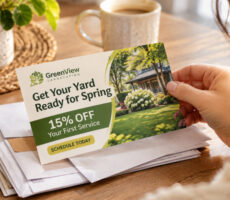
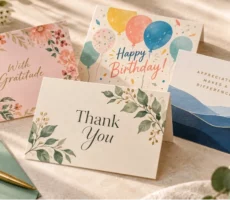
A wedding could coordinate coaster artwork with invitations, place cards, and thank-you notes.
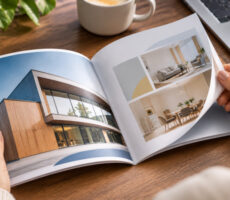
A corporate event could use matching colors and typography across coasters, presentation folders, and promotional materials.
Here are a few combinations to consider:
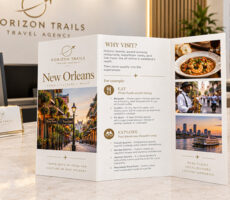
Restaurants and cafés: Coasters + Flyers + Posters
Weddings and celebrations: Coasters + Invitations + Greeting Cards
Corporate events: Coasters + Business Cards + Presentation Folders
Coordinating printed materials helps create a more consistent experience without requiring every item to look identical.
Common Custom Coaster Design Mistakes
Even creative designs can lose their impact when too much information is added.
Avoid these common mistakes.
Adding Too Much Text
A coaster isn’t the right place for a full menu, detailed event schedule, or long company description.
Focus on one message.
Using Tiny Fonts
Small text may look readable on your computer screen but become difficult to see when printed.
Review the design at actual size.
Choosing Low-Contrast Colors
Text that blends into the background can be difficult to read, especially in dim restaurant lighting.
Use clear contrast.
Overcomplicating the Artwork
Multiple illustrations, borders, fonts, and promotional messages can compete for attention.
Simplify the composition.
Ignoring the Final Shape
A design created for a square layout may not work well on a round coaster without adjustment.
Use the correct template from the beginning.
Forgetting the Practical Purpose
Remember that coasters will be placed under drinks.
Avoid designing important elements that require constant visibility or interaction while a glass is sitting on top.
Frequently Asked Questions About Custom Coaster Design
What sizes are available for Overnight Prints custom coasters?
Overnight Prints offers 3.5″ × 3.5″ and 4″ × 4″ custom coasters, both with 3/8″ rounded corners.
Can I print on both sides of a custom coaster?
Yes. Overnight Prints offers single-sided and double-sided coaster printing.
What materials can I choose for custom coasters?
Available options include FAT Thick 34pt Card Stock and Sandwich Color Filled Premium Paper.
Can I order custom coasters in small quantities?
Yes. The product configurator shows quantities starting at six coasters, making small orders an option for events, samples, or personalized gifts.
Are Overnight Prints coasters round or square?
The available product options shown are square coasters with 3/8″ rounded corners.
Create Custom Coasters That Make an Impression
The best custom coaster designs combine a clear message, thoughtful artwork, and a style that fits the setting.
Whether you’re designing coasters for a restaurant, coffee shop, wedding, or corporate event, start by deciding what you want guests to notice.
Keep the layout simple, choose readable typography, and use colors and illustrations that support your brand or event theme.
From minimalist logos to collectible artwork and interactive messages, even a small printed coaster can become a memorable part of the experience.
Ready to create your own? Explore custom coaster printing at Overnight Prints and bring your design ideas to the table.