A direct mail postcard has only a few seconds to catch someone’s attention. When people sort through their mail, they quickly decide which pieces are worth reading and which ones they’ll set aside.
That’s why good direct mail postcard design is about more than choosing attractive colors and adding your business logo.
An effective postcard needs to communicate a relevant message, present a compelling reason to act, and make the next step easy.
Whether you’re promoting a local service, announcing a sale, or reconnecting with previous customers, a thoughtfully designed postcard can help turn a piece of mail into a customer inquiry, website visit, or purchase.
In this guide, we’ll explore how to design direct mail postcards that encourage responses, including layout tips, copywriting examples, calls to action, and common mistakes to avoid.
What Makes a Direct Mail Postcard Effective?
A successful direct mail postcard combines several important elements:
- A relevant audience: Your message reaches people who are likely to need your product or service.
- A clear headline: Readers understand the main message immediately.
- A compelling offer: The postcard gives people a reason to respond.
- A readable design: Important information is easy to find.
- A strong call to action: Readers know exactly what to do next.
- A way to measure results: You can track responses and evaluate your campaign.
The design supports all these elements, but it can’t replace a relevant offer or a well-chosen mailing audience.
For example, a postcard advertising lawn care services may be more useful to homeowners in a serviceable neighborhood than to people outside the company’s coverage area.
Before designing, identify who you’re trying to reach and what action you want them to take.
How to Design a Direct Mail Postcard in 7 Steps

1. Start With One Clear Campaign Goal
Before opening a design program, decide what you want the postcard to accomplish.
Your goal might be to:
- Generate appointment requests
- Promote a seasonal sale
- Announce a grand opening
- Encourage repeat purchases
- Introduce a new service
- Drive visits to a specific landing page
Choose one primary goal rather than trying to accomplish everything with a single postcard.
For example, a dental office promoting appointment bookings should make scheduling the central action, rather than splitting attention between several unrelated services.
A clear goal helps you choose the right headline, offer, imagery, and call to action.
2. Write a Headline That Focuses on the Customer
Your headline is often the first element people notice.
Instead of starting with a generic statement about your business, lead with something relevant to the reader.
Compare these examples:
| Generic Headline | More Specific Alternative |
| Quality Cleaning Services | Need Help Keeping Your Home Clean? |
| Your Local Landscaping Experts | Get Your Yard Ready for Spring |
| Great Deals Available | Save 15% on Your Next Order |
| Professional Home Services | Schedule Your Seasonal Home Checkup |
| Visit Our New Store | We’re Open in Your Neighborhood! |
The strongest headline depends on your audience and offer.
A discount may work for a retail promotion, while a service-oriented message may be more appropriate for a contractor or professional service business.
Keep your headline short enough to read at a glance.
3. Give People a Reason to Respond
An attractive postcard may get noticed, but the offer helps explain why someone should take action.
Your offer doesn’t always need to be a discount.
It could be:
- A free consultation
- A complimentary estimate
- An invitation to a local event
- A first-time customer promotion
- A limited-time service package
- An early booking opportunity
- A new product announcement
For example:
Headline: Ready for a Cleaner Home?
Offer: Get 15% Off Your First Cleaning Service
CTA: Book Your Appointment by May 31
The offer, deadline, and next step work together.
Only include discounts, availability, or deadlines that your business can actually honor.
4. Create a Simple Visual Hierarchy

Visual hierarchy determines which elements readers notice first.
A good postcard should guide the eye naturally from the headline to the offer and then to the call to action.
A practical layout might follow this structure:
Front of postcard:
- Main headline
- Supporting image or graphic
- Promotional offer
- Primary call to action
Back of postcard:
- Brief supporting details
- Business name and contact information
- Website or QR code
- Mailing address and postage area
Avoid filling every available space with text.
White space helps important information stand out and makes the postcard easier to read.
For more layout guidance, explore our Layout Design Principles for Print article.
5. Use Images That Support Your Message
The best postcard images help people understand the offer quickly.
For example:
- A landscaping company might show a well-maintained lawn.
- A restaurant could feature an appealing menu item.
- A real estate agency might use a professional property photograph.
- A fitness studio could show its facilities.
- A retail store might highlight a seasonal product.
Choose images that are relevant, high quality, and appropriate for your audience.
Avoid generic photographs that don’t clearly connect to the service or promotion.
If you’re using photographs of customers, employees, or private properties, make sure you have the necessary permissions.
6. Make the Call to Action Easy to Follow
A postcard should tell people exactly what to do next.
Effective calls to action use specific, actionable language.
Examples include:
- “Schedule Your Free Estimate”
- “Scan to Book an Appointment”
- “Shop the Sale Online”
- “Visit Us This Weekend”
- “Call Today to Learn More”
- “Redeem Your Offer by June 30”
Your call to action should connect directly to the campaign goal.
If the objective is appointment bookings, send people to a booking page rather than a general homepage.
If you’re promoting a specific product, link to that product or collection.
7. Make It Easy to Track Responses
Tracking helps you understand whether your postcard campaign is working.
Without a tracking method, it can be difficult to separate direct mail results from other marketing activities.
Consider using:
- A unique promotional code
- A campaign-specific landing page
- A trackable QR code
- A dedicated phone number
- A simple redemption form
- A unique website URL
For example, a restaurant could include a code such as POSTCARD10 for a specific offer.
A home service company could use a QR code leading to a dedicated appointment form.
The important thing is to choose a tracking method that matches how customers prefer to respond.
Direct Mail Postcard Layout: What Goes on the Front and Back?
A postcard has two sides, and each should have a clear purpose.
The front typically captures attention, while the back provides supporting information and space for mailing details.
| Postcard Side | Recommended Content | Main Purpose |
| Front | Headline, image, offer, and CTA | Capture attention and communicate the main message |
| Back | Supporting details, contact information, QR code, and mailing area | Help readers respond and support delivery |
Front of the Postcard
Keep the front focused on the main message.
For example, a home cleaning company could use:
Headline: Your Weekends Are for Relaxing
Supporting text: Let us handle the house cleaning.
Offer: Save 15% on Your First Service
CTA: Book Your Cleaning Today
A strong photograph and clear branding can reinforce the message without adding unnecessary text.
Back of the Postcard
The back provides room for practical details.
Include your business name, relevant contact information, and any conditions associated with the offer.
If you’re mailing the postcards through USPS, reserve the appropriate space for the recipient address, postage, and postal processing.
Don’t place essential promotional information where it may interfere with mailing requirements.
For additional guidance, read our Postcard Mailing Requirements article.
What Size Should a Direct Mail Postcard Be?
Postcard size affects how much information you can include, how your design looks, and which USPS mailing rules apply.
Common marketing postcard sizes include:
| Postcard Size | Typical Use | Design Considerations |
| 4″ × 6″ | Simple offers, reminders, and local promotions | Best for concise messages |
| 5″ × 7″ | Product promotions and event announcements | Provides additional room for imagery and text |
| 6″ × 9″ | More detailed marketing campaigns | Larger design area for offers and supporting information |
| 6″ × 11″ | Large-format promotional mail | Suitable for prominent headlines and visuals |
These are common industry sizes, not a complete list of Overnight Prints product options.
Before selecting a format, check both the printer’s available dimensions and the applicable USPS mailing requirements.
A larger postcard may provide more design space, but it can also affect postage costs and mailing classification.
For a detailed comparison, explore our Postcard Sizes Explained guide.
You can also browse custom postcard printing at Overnight Prints to choose a format that fits your campaign.
Direct Mail Postcard Design Examples by Industry
The most effective postcard design depends on what you’re promoting and who you’re trying to reach.
Here are several practical examples.
Real Estate Direct Mail Postcards
Campaign goal: Generate home valuation inquiries.
Headline: Curious What Your Home Is Worth?
Supporting text: Get a personalized home value estimate from a local real estate professional.
CTA: Scan to Request Your Home Valuation
Design approach: Use a clean property photograph, professional branding, and a prominent QR code or website.
Avoid making unsupported claims about property values or guaranteed selling prices.
Restaurant Direct Mail Postcards
Campaign goal: Encourage local customers to place an order.
Headline: Dinner Plans? We’ve Got You Covered.
Supporting text: Explore our neighborhood favorites and order online.
CTA: Scan to View Our Menu
Design approach: Feature one appealing food photograph and keep the message short.
If you’re promoting a discount, display the offer clearly and include its terms.
Restaurants can also support their campaigns with custom flyers distributed through appropriate local channels.
Home Service Direct Mail Postcards
Campaign goal: Generate service inquiries.
Headline: Get Your Home Ready for the Season
Supporting text: Professional home maintenance services available in your area.
CTA: Request Your Free Estimate
Design approach: Use relevant service photography, a readable phone number, and a clear explanation of what the business offers.
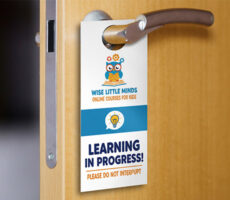
For neighborhood outreach, pair postcards with custom door hangers to reinforce your message.
Retail Store Direct Mail Postcards
Campaign goal: Promote a store event or seasonal sale.
Headline: Something Special Is Happening This Weekend
Supporting text: Visit our store for new arrivals and seasonal favorites.
CTA: Stop By Saturday
Design approach: Highlight the event date, store address, and one strong product photograph.
You can reinforce the same campaign with custom posters displayed inside the store.
Professional Services Direct Mail Postcards
Campaign goal: Introduce a service and encourage consultations.
Headline: Planning Your Next Business Move?
Supporting text: Explore professional consulting services designed around your goals.
CTA: Schedule an Introductory Call
Design approach: Use a simple, professional layout with a clear description of the service.
Avoid overwhelming readers with technical details or long paragraphs.
How to Write Postcard Copy That Encourages Responses

Strong postcard copy is concise, relevant, and easy to understand.
A simple formula is:
Customer Need + Relevant Offer + Clear Next Step
For example:
Customer need: Homeowners want help preparing their yards for spring.
Offer: Seasonal landscaping services.
Next step: Request an estimate.
The finished postcard might say:
Headline: Is Your Yard Ready for Spring?
Supporting text: From seasonal cleanup to regular lawn maintenance, we’re here to help.
CTA: Call Today for a Free Estimate
This approach communicates the service without relying on vague marketing language.
Keep Your Message Focused
Avoid including every service, product, and company achievement on one postcard.
Choose the information that supports the campaign goal.
If customers need more details, direct them to a landing page or website.
Use Specific Language
Instead of writing “We Offer Amazing Services,” explain what you actually provide.
Specific messages help readers determine whether the offer is relevant to them.
Make the Offer Easy to Understand
If you’re promoting a discount, explain what it applies to.
If there’s a deadline, include it.
If conditions apply, make sure they’re clearly communicated.
Common Direct Mail Postcard Design Mistakes
Even a visually attractive postcard can underperform if the message is confusing.
Here are several mistakes to avoid.
Including Too Much Text
A postcard isn’t a brochure.
If your message requires several long paragraphs, simplify it or direct readers to a website for more information.
Using a Weak Headline
A generic headline may not give readers a reason to continue.
Lead with a relevant benefit, question, offer, or announcement.
Hiding the Call to Action
Don’t make readers search for your phone number, website, or next step.
Place the CTA where it’s easy to notice.
Choosing Low-Contrast Colors
Text that’s difficult to read can prevent people from understanding your offer.
Use strong contrast between the background and important information.
Ignoring Mailing Requirements
Postcards sent through USPS need to meet applicable addressing, postage, and size requirements.
A design that doesn’t reserve sufficient mailing space may need to be revised before distribution.
Forgetting to Track Results
Without a tracking method, it’s harder to evaluate the campaign.
Choose a simple way to measure inquiries, redemptions, visits, or purchases.
How to Prepare Your Direct Mail Postcard for Printing
Once your design is complete, prepare your artwork for professional printing.
Start by selecting the correct finished dimensions and using the printer’s official template.
Check Bleed and Safe Zones
Bleed is the extra artwork extending beyond the finished edge of the postcard.
Safe zone is the area where important text and graphics should remain.
Extend background images into the required bleed area and keep essential information inside the safe zone.
Use High-Resolution Images
For professional printing, 300 dpi is a common recommendation for photographs and other raster artwork at their final printed dimensions.
Low-resolution images can appear blurry or pixelated.
Use the Correct Color Settings
CMYK is commonly recommended for print production.
Colors may appear different on screen than they do in print, so review your artwork carefully and follow the printer’s specifications.
Proofread Every Detail
Before submitting your design, verify:
- Business name and logo
- Phone number and website
- Promotional offer and conditions
- Dates and deadlines
- QR code destination
- Mailing address area
- Image quality
- Bleed and safe zones
For more detailed guidance, read our How to Prepare Files for Printing article.
How to Measure Direct Mail Postcard Results
Once your campaign is distributed, measure the results against your original goal.
For example, if your goal was to generate appointment bookings, track how many appointments came through the postcard’s dedicated booking link or promotional code.
Useful metrics include:
| Metric | What It Measures |
| Response rate | Percentage of delivered postcards that generate a defined response |
| Conversion rate | Percentage of responses that become the desired action |
| Cost per response | Total campaign cost divided by responses |
| Cost per acquisition | Total campaign cost divided by new customers acquired |
| Revenue generated | Sales attributable to the campaign, where measurable |
For example, if you distribute 2,000 postcards and receive 40 trackable inquiries, your inquiry response rate is:
40 ÷ 2,000 × 100 = 2%
This is an illustrative calculation, not an expected response-rate benchmark.
Actual performance depends on the audience, offer, campaign timing, distribution, and other factors.
If possible, compare results across campaigns to understand which messages, offers, and designs work best for your business.
Frequently Asked Questions About Direct Mail Postcard Design
What should be included on a direct mail postcard?
Include a clear headline, relevant offer, business branding, contact information, and one primary call to action. If mailing through USPS, reserve the required space for addressing and postage.
What makes a direct mail postcard effective?
An effective postcard reaches a relevant audience, communicates a clear benefit, and makes the next step easy. Good design supports the message through readable typography, useful imagery, and a simple layout.
What size postcard is best for direct mail?
The best size depends on your campaign, content, budget, and mailing requirements. Common sizes include 4″ × 6″, 5″ × 7″, and larger marketing formats. Confirm USPS eligibility and postage costs before choosing.
Should a direct mail postcard have a QR code?
A QR code can be useful when it links to a relevant landing page, appointment form, or promotion. Test the code before printing and include another contact option when appropriate.
How much text should be on a marketing postcard?
Use enough text to explain the offer and next step without overcrowding the design. Short headlines, brief supporting copy, and a clear CTA are generally easier to scan.
How do you track direct mail postcard responses?
Use unique promotional codes, dedicated landing pages, trackable QR codes, or campaign-specific phone numbers. Choose a method that matches your campaign goal.
Should I print on both sides of a postcard?
Using both sides gives you more room for supporting information. Keep the main message prominent and reserve the necessary area for mailing information if the postcard will be mailed.
Can direct mail postcards work for small businesses?
Yes. Small businesses can use postcards to promote local services, announce events, reconnect with customers, and introduce offers. Results depend on the audience, message, distribution, and campaign execution.
Design a Direct Mail Postcard That Makes the Next Step Clear
A successful direct mail postcard doesn’t need complicated artwork or a long sales message.
It needs a clear purpose, a relevant offer, readable design, and an easy way for customers to respond.
Start by identifying your audience and campaign goal. Then build your postcard around one strong headline, one main message, and one clear call to action.
Use professional images, maintain enough white space, and prepare your artwork according to the correct printing specifications.
Ready to create your next campaign? Explore custom postcard printing at Overnight Prints and design postcards that help your business connect with customers beyond the screen.