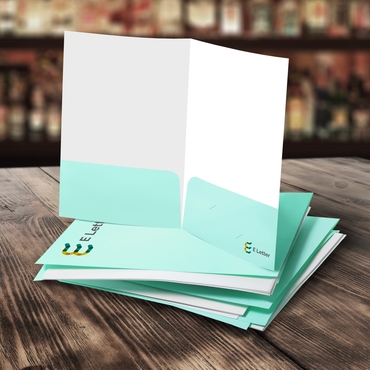
A client meeting often involves more than one document. You might need to share a proposal, introduce your services, explain pricing, and leave behind your contact information.
Handing over a stack of loose papers can make even well-prepared materials feel disorganized.
A custom presentation folder brings everything together while giving your business another opportunity to make a professional impression.
But effective presentation folder design goes beyond placing your logo on the cover. The layout, colors, pockets, paper finish, and documents inside should all work together.
Whether you’re preparing a sales proposal, real estate package, welcome kit, or corporate presentation, this guide explains how to design a presentation folder that looks professional and makes information easier for clients to use.
What Makes a Good Presentation Folder Design?
A good presentation folder combines attractive branding with practical organization.
It should be easy to recognize, comfortable to handle, and suitable for the documents you plan to include.
The most effective designs share several characteristics:
- Clear branding: Your company name or logo is easy to identify.
- Simple layout: The design doesn’t feel overcrowded.
- Consistent colors: The folder matches your other marketing materials.
- Readable typography: Any printed text is easy to understand.
- Functional pockets: Documents stay organized and accessible.
- Quality materials: The folder is sturdy enough for its intended use.
Think about what happens after the meeting, too.
A client may keep your folder on a desk, take it to another meeting, or reference its contents several weeks later. A practical, recognizable design helps make that experience easier.
How to Design a Presentation Folder in 7 Steps
1. Decide What the Folder Will Be Used For
Before designing the cover, identify the folder’s purpose.
A presentation folder for a sales pitch may need to hold a proposal, pricing sheet, and business card.
A new-client welcome folder might contain an onboarding checklist, service agreement, and contact information.
Common uses include:
- Client proposals and sales presentations
- Real estate listing packages
- Financial and insurance consultations
- Corporate meetings
- New-client onboarding
- Conferences and networking events
- Product and service presentations
Once you know what belongs inside, you can design the folder around those materials.
For example, a financial advisor may prefer a conservative, minimal design, while a creative agency might use more expressive colors and imagery.
2. Choose the Right Presentation Folder Size
The folder needs to fit your documents without folding or damaging them.
Overnight Prints offers 9″ × 12″ custom presentation folders, a standard format designed to hold US letter-size documents measuring 8.5″ × 11″.
This makes them suitable for:
- Printed proposals
- Company profiles
- Service descriptions
- Sales sheets
- Client reports
- Standard letter-size documents
Before ordering, review the dimensions of everything you plan to include.
If your presentation contains unusually large documents or bulky materials, confirm that they’ll fit comfortably.
For most standard client presentations, a 9″ × 12″ folder is a practical starting point.
3. Create a Clean, Professional Cover
The front cover is usually the first part of the folder a client sees.
It should communicate your brand clearly without requiring the reader to search for important information.
A simple presentation folder cover might include:
Company logo
Place your logo where it’s immediately recognizable.
Business name
Include your company name if it isn’t already clear from the logo.
Optional tagline
A short description can help explain what your business does.
Brand colors
Use a consistent color palette that matches your website, business cards, and other printed materials.
Supporting graphic
A photograph, illustration, or subtle pattern can add personality when it supports the overall design.
Avoid adding long paragraphs, multiple slogans, or every service your company offers.
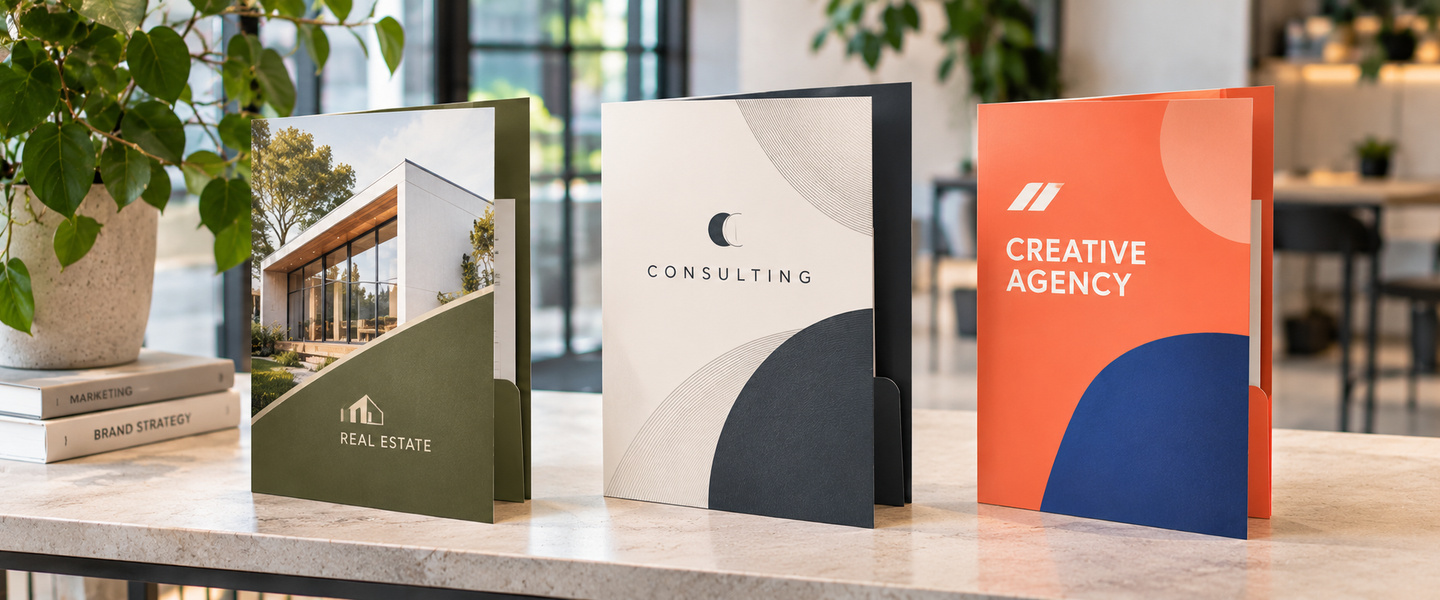
For example, a consulting firm might use a navy background, a white logo, and a subtle geometric pattern.
A landscaping company could feature a high-quality photograph of a completed project alongside its logo.
Both approaches can work when the design matches the business.
4. Design the Inside of the Folder
The interior deserves attention, especially if you’re choosing double-sided printing.
An inside panel can reinforce your branding or provide useful supporting information.
Ideas include:
- A short company introduction
- A simple brand pattern
- A mission statement
- A brief description of your services
- A website address
- A QR code linking to a client resource
However, the inside doesn’t need to be filled with text.
A simple background color or subtle graphic can look just as professional.
Remember that the documents and pockets will cover parts of the interior when the folder is in use.
Place important information where it remains visible and doesn’t interfere with folds, pocket edges, or the business card slot.
5. Use the Pockets to Organize Client Materials
A presentation folder should make information easier to find.
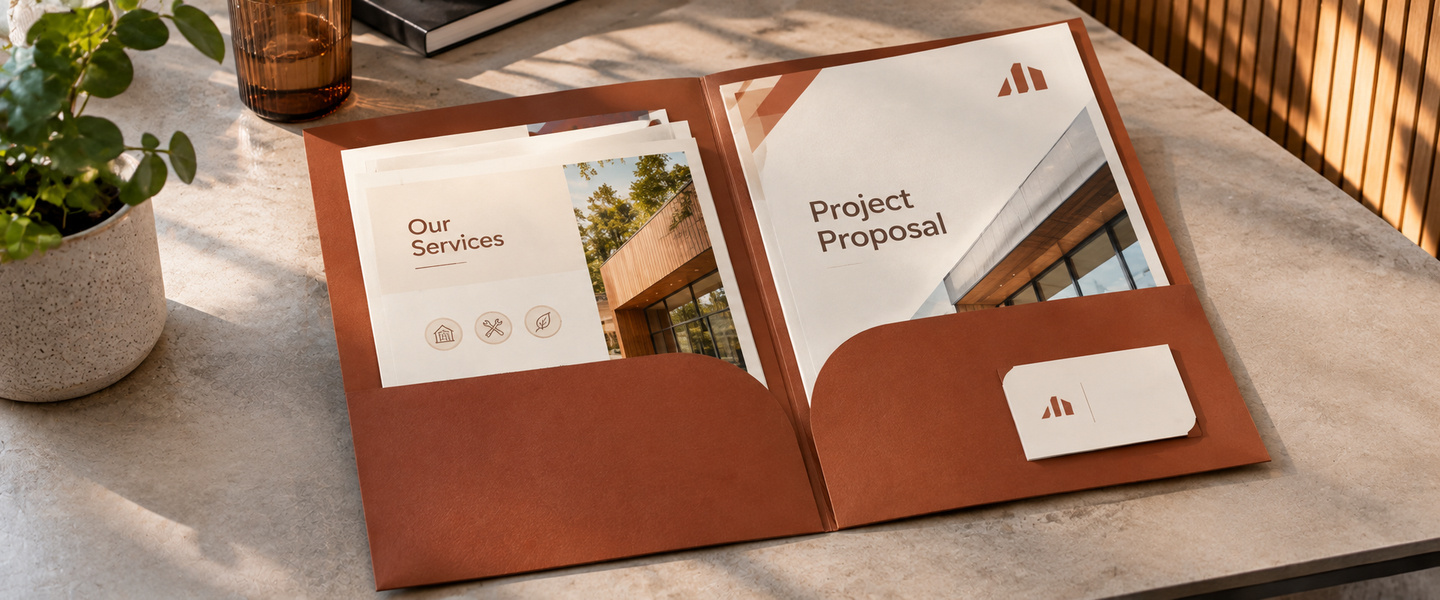
Overnight Prints’ presentation folders include two interior pockets, each 4 inches deep, with a business card slot on the right-hand pocket.
You can use the pockets to create a logical flow.
For example:
Left pocket: Introduction
- Company overview
- Services brochure
- Client testimonials
- Relevant case studies
Right pocket: Next Steps
- Personalized proposal
- Pricing or estimate
- Project timeline
- Agreement or follow-up information
The exact arrangement depends on the purpose of the meeting.
A sales representative might place introductory materials on the left and a customized proposal on the right.
An onboarding specialist might organize the contents into “Getting Started” and “Important Documents.”
Keep the number of inserts manageable. The goal is to make information easier to navigate, not to create a bulky package.
6. Add Your Business Card
A business card is one of the most useful items to include in a client presentation folder.
It gives recipients an easy way to find your contact details after the meeting.
Overnight Prints’ presentation folders have a die-cut slot on the right-hand pocket for a standard-size business card.
Use a card that matches the folder’s visual identity.
For example, if the folder features navy and cream branding, carry those colors into your business card.
Keep the essential details easy to read:
- Your name
- Job title
- Company name
- Phone number
- Email address
- Website
You can create matching custom business cards to complete the presentation.
7. Choose a Finish That Matches Your Brand
Paper finish affects how a presentation folder looks and feels.
Overnight Prints prints its presentation folders on 14pt cardstock and offers Satin Matte and Full Gloss finishes.
Satin Matte
Satin Matte creates a smooth, understated appearance.
It works well for professional service businesses, consulting firms, financial services, and brands that prefer a refined look.
Full Gloss
Full Gloss produces a shinier surface that can make colorful graphics and photographs stand out.
It may be a good choice for creative businesses, real estate photography, product presentations, or visually driven marketing materials.
Overnight Prints also allows inside and outside coating selections, depending on the chosen configuration.
The best finish depends on your brand identity and the type of artwork you’re printing.
What Should Go on the Front, Back, and Inside of a Presentation Folder?
Each part of the folder can serve a different purpose.
| Folder Area | Recommended Content | Design Goal |
| Front cover | Logo, company name, optional tagline | Establish brand identity |
| Back cover | Website, contact details, or subtle branding | Provide a useful reference |
| Inside left panel | Supporting graphic or short introduction | Reinforce the presentation |
| Inside right panel | Simple branding or next-step message | Support the client experience |
| Interior pockets | Proposals, brochures, reports, and business cards | Organize information |
You don’t need to use every available surface.
In many cases, a minimal folder with a strong cover and carefully organized inserts looks more professional than one filled with promotional messages.
Presentation Folder Design Ideas by Industry
Different businesses have different presentation needs.
Here are several approaches you can adapt.
Real Estate Presentation Folders
Design concept: Professional property photography with clean typography.
A real estate agent could use a high-quality property image on the cover, with the agency logo positioned prominently.
Inside, the folder might contain:
- Property information
- Comparable market data
- Agent introduction
- Selling or buying process overview
- Business card
Use a consistent design across the folder and supporting documents.
Consulting and Professional Services
Design concept: Minimalist branding with a restrained color palette.
Consulting firms often need to present detailed information clearly.
A simple cover featuring the company logo, brand color, and subtle geometric design can help maintain a professional appearance.
Inside, include a company overview, project scope, relevant case studies, and next steps.
Financial and Insurance Services
Design concept: Clean typography and understated colors.
For businesses handling detailed financial or insurance information, clarity should take priority over decorative graphics.
Consider a white or navy cover with a simple logo and minimal text.
Organize the interior so clients can quickly identify their proposal, supporting information, and contact details.
Creative Agencies
Design concept: Bold typography and distinctive visual branding.
Design studios, marketing agencies, and photographers can use their presentation folders to demonstrate their visual style.
A creative agency might feature a bold brand color, original illustration, or carefully selected portfolio photograph.
Inside, include relevant examples of previous work and a personalized proposal.
Contractors and Home Service Businesses
Design concept: Project photography with clear branding.
A contractor could feature a completed renovation or installation on the cover.
Inside, the folder might contain:
- Company introduction
- Service descriptions
- Project examples
- Estimate
- Project timeline
- Contact information
This approach gives clients an organized reference after the consultation.
Corporate Events and Conferences
Design concept: Event branding coordinated with the company’s identity.
A conference folder might include the event title, date, logo, and a simple graphic.
Inside, guests could find an agenda, speaker information, company materials, and networking resources.
Keep the design recognizable and easy to navigate.
How to Match Your Folder With the Documents Inside
A presentation folder looks more cohesive when its contents follow the same visual identity.
That doesn’t mean every page needs to look identical.
Instead, use a consistent approach to typography, colors, and branding.
Business Cards
Include a matching business card so clients can easily contact you after the meeting.
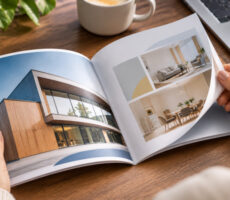
Brochures
A custom brochure can explain your services, process, or product offerings in more detail.
Use the same primary colors and logo treatment as the folder.
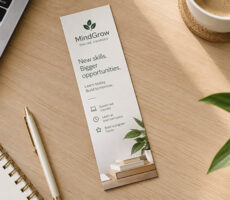
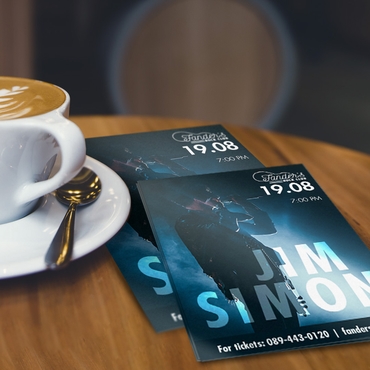
Flyers and Sales Sheets
Custom flyers work well for individual service descriptions, promotions, and quick-reference information.
A single-page sales sheet can also summarize the most important points from your presentation.
Booklets
For more detailed information, consider a custom booklet.
Booklets can help organize longer proposals, product catalogs, and company profiles.
Choose inserts based on what the client actually needs rather than including every printed material your business produces.
Single-Sided vs. Double-Sided Presentation Folder Printing
Overnight Prints offers both single-sided and double-sided printing for presentation folders.
The right choice depends on your design and how the folder will be used.
| Feature | Single-Sided Printing | Double-Sided Printing |
| Main design focus | Exterior artwork | Exterior and interior artwork |
| Best for | Minimalist branding and straightforward presentations | Detailed branding and customized interior designs |
| Interior appearance | No additional printed interior design | Coordinated colors, graphics, or messages |
| Design complexity | Simpler artwork preparation | Requires planning for both sides |
For example, a consulting firm might choose a single-sided folder with a clean logo-focused cover.
A creative agency could use double-sided printing to extend its brand pattern across the interior.
Neither option is automatically better.
Choose the one that supports your presentation without adding unnecessary design elements.
How to Prepare a Presentation Folder Design for Printing
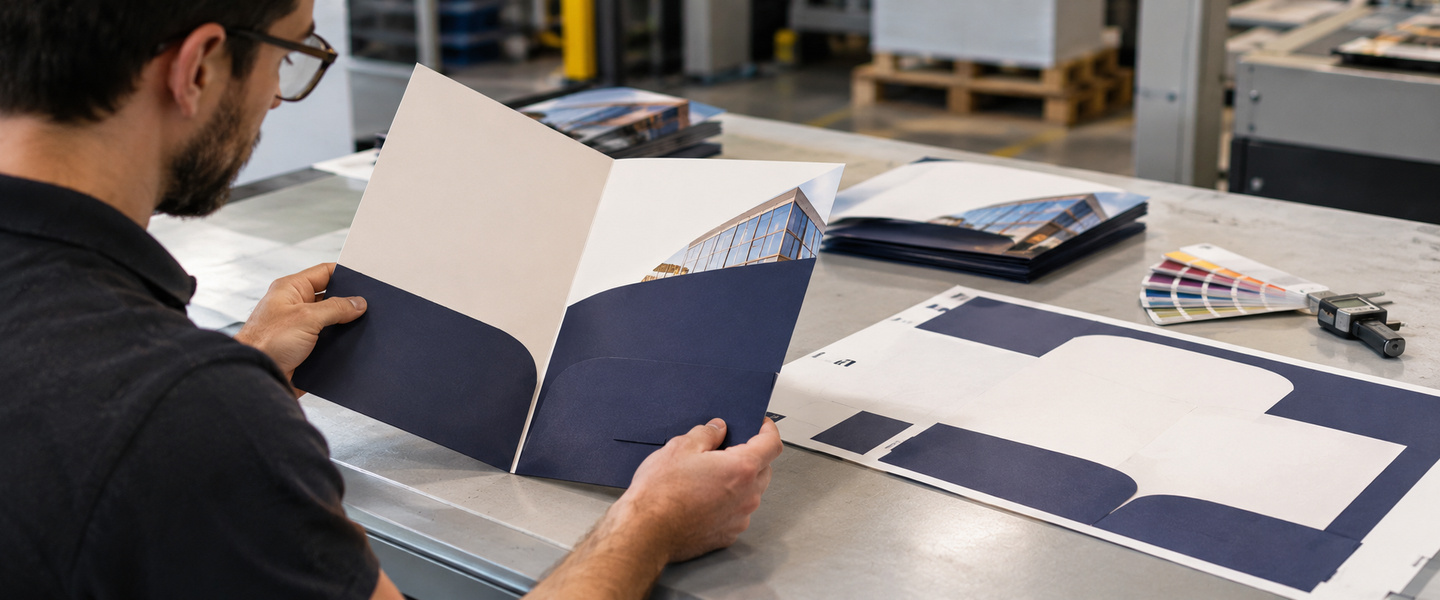
Presentation folders require more careful artwork preparation than a standard flat card.
The design needs to account for the front and back panels, folds, pockets, and business card slot.
Start With the Official Folder Template
Before designing, download the correct presentation folder template from Overnight Prints.
The template shows how the flat artwork will fold into the finished folder.
Don’t create a generic rectangle and assume it will align with the final product.
The folder’s finished dimensions are different from the full unfolded artwork dimensions.
Identify the Fold and Pocket Areas
Pay attention to where the folder folds and where the pockets attach.
Important text or logos shouldn’t cross fold lines unless the design intentionally accounts for them.
Check how the artwork will appear when the folder is assembled.
Include Bleed
If a background color or photograph extends to the edge of the folder, it should continue into the required bleed area.
This helps prevent unwanted white edges after trimming.
Follow the bleed dimensions shown in the official template.
Keep Important Elements Inside the Safe Zone
The safe zone indicates where essential text and graphics should remain to avoid being cut off.
Keep logos, contact details, and other important elements inside this area.
Avoid placing small text too close to pocket edges or fold lines.
Use High-Resolution Artwork
Overnight Prints recommends preparing presentation folder artwork at 300 dpi.
Use high-quality photographs and vector artwork for logos whenever possible.
Low-resolution images may appear blurry or pixelated when printed.
Prepare Colors for Printing
CMYK color mode is recommended for Overnight Prints presentation folders.
Colors may appear different on screen than on printed cardstock, so review the artwork carefully.
Review the Digital Proof
Before approving your order, check:
- Logo placement
- Front and back orientation
- Inside artwork alignment
- Fold lines and pocket placement
- Business card slot area
- Bleed and safe zones
- Text readability
- Contact information
- Spelling and punctuation
Pay particular attention to the inside and outside panels. A design that looks correct when flat may appear differently after folding.
Common Presentation Folder Design Mistakes
Putting Too Much Information on the Cover
The cover should introduce your brand, not replace your company brochure.
Keep the message short and let the documents inside provide the details.
Ignoring the Folder Template
A presentation folder has a specific physical structure.
Using the wrong dimensions can cause artwork to overlap folds, pockets, or trim areas.
Always use the correct template.
Using Inconsistent Branding
Different colors, fonts, and logos across the folder and its contents can make the presentation feel disconnected.
Create a simple visual system and apply it consistently.
Choosing Images That Don’t Represent Your Business
A generic stock photograph may look attractive but communicate little about your services.
Use relevant imagery that supports your message.
Overloading the Pockets
Too many inserts can make a folder difficult to close or navigate.
Include only the documents that help the client understand your proposal and next steps.
Forgetting the Business Card
Make it easy for clients to contact the person they met.
Use the folder’s business card slot when appropriate.
Skipping a Final Print Review
Even a well-designed folder can have problems if text is too close to the edges or important graphics cross fold lines.
Review the final artwork carefully before printing.
Presentation Folder Design Checklist
Before ordering your custom presentation folders, use this checklist:
- Define the folder’s purpose and audience.
- Confirm that the folder fits your documents.
- Use a high-quality company logo.
- Keep the front cover simple.
- Apply consistent brand colors and typography.
- Plan the interior layout and pocket organization.
- Prepare a matching business card.
- Choose single-sided or double-sided printing.
- Select the appropriate paper finish.
- Use the official printing template.
- Check bleed, safe zones, and folds.
- Review artwork resolution and color settings.
- Proofread all contact information.
- Check the final digital proof.
Frequently Asked Questions About Presentation Folder Design
What should be included in a presentation folder design?
A professional presentation folder typically includes a company logo, consistent brand colors, and a clean cover layout. You can also add contact information, a tagline, or supporting graphics.
What size is best for client presentation folders?
A 9″ × 12″ folder is a common choice because it accommodates standard 8.5″ × 11″ documents without folding. Overnight Prints offers this finished size for its presentation folders.
What should I put inside a client presentation folder?
Include materials relevant to the meeting, such as a company overview, proposal, brochure, case studies, pricing information, and business card. Avoid adding unnecessary documents.
Should presentation folders be matte or glossy?
Satin Matte works well for understated, professional designs, while Full Gloss can emphasize colorful graphics and photographs. Overnight Prints offers both finish options.
Can presentation folders be printed on both sides?
Yes. Overnight Prints offers single-sided and double-sided printing, allowing businesses to customize the exterior and interior appearance.
What paper is used for Overnight Prints presentation folders?
Overnight Prints uses durable 14pt cardstock for its custom presentation folders.
Do presentation folders have business card slots?
Yes. Overnight Prints presentation folders include a business card slot on the right-hand interior pocket.
How do I design a presentation folder for printing?
Start with the printer’s official template, plan the artwork around folds and pockets, extend backgrounds into the bleed area, keep important elements inside the safe zone, and review the digital proof before ordering.
Can I use a presentation folder for a sales proposal?
Yes. Presentation folders are useful for organizing proposals, company information, pricing sheets, and supporting documents in a client-facing format.
Create Presentation Folders That Make Client Meetings More Professional
A successful presentation folder design should do two things: represent your brand and make your information easier to use.
Start with a clear purpose, choose a simple cover layout, and organize the contents around what your client needs to know.
Use consistent colors, readable typography, and relevant imagery. Then prepare the artwork carefully so the finished folder looks as professional as the materials inside.
Whether you’re presenting a proposal, welcoming a new client, or preparing for a business meeting, a well-designed folder can bring your printed materials together in one cohesive package.
Ready to create your own? Explore custom presentation folders at Overnight Prints and build a professional presentation that reflects your business.