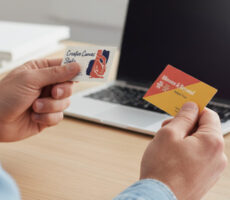
An NFC business card is a physical card with a Near Field Communication chip or tag that lets someone tap the card with a compatible smartphone to open digital information, while a traditional printed business card shares the essential contact information directly on the card.
One says:
Tap my card.
The other says:
Here’s my card.
Both are trying to solve the same basic networking problem:
How do I make it easy for this person to remember and contact me later?
NFC business cards add a digital layer to that exchange. Printed cards keep the experience simple and physical.
That doesn’t make one universally better.
The better choice depends on what you’re sharing, where you’re networking, who you’re meeting, and what you want to happen after the introduction.
What Exactly Is an NFC Business Card?
NFC stands for Near Field Communication, a short-range wireless technology that allows compatible devices to exchange information when they’re brought very close together.
The NFC Forum describes NFC as a short-range wireless connectivity technology that works at close proximity and can allow smartphones to interact with NFC tags.
An NFC business card applies that technology to networking.
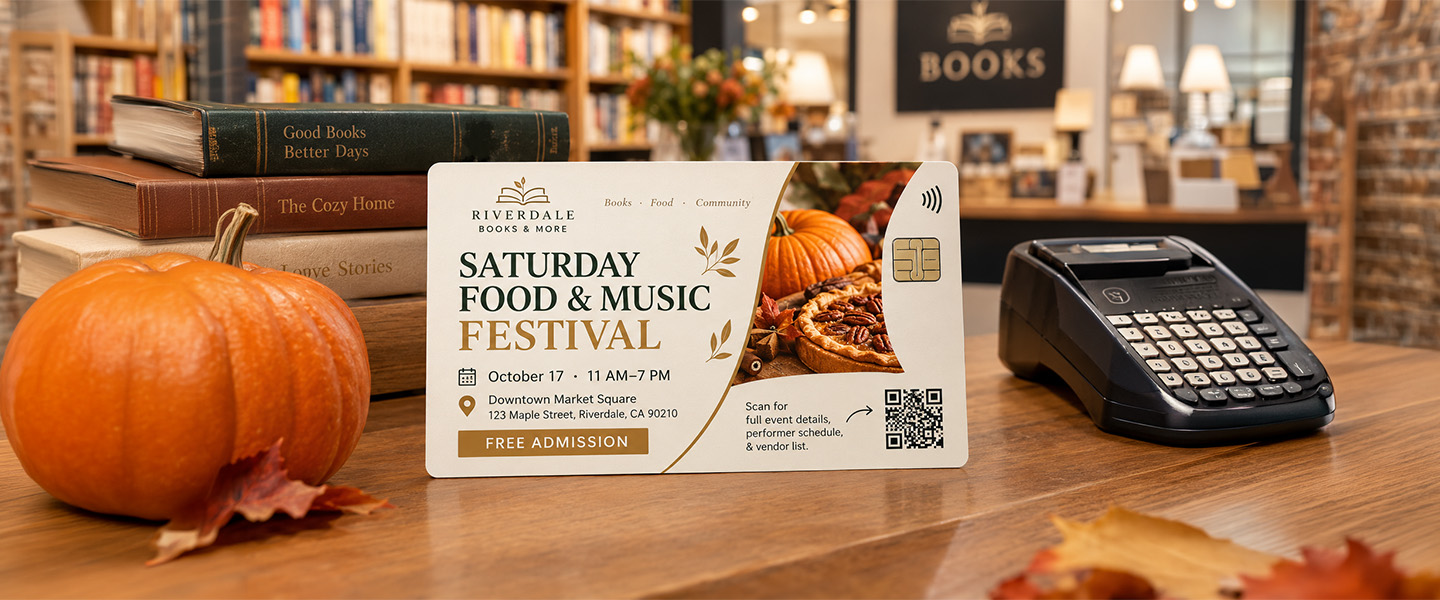
A small NFC tag or chip is embedded in or attached to the card.
When someone brings a compatible smartphone close to it, the phone reads the programmed information and can trigger an action.
Most commonly, that means opening a URL.
That URL might lead to:
- Digital business card
- Contact page
- Personal website
- Portfolio
- LinkedIn profile
- Booking page
- Company website
- Product page
- Online profile
The NFC Forum specifically identifies opening websites and sharing contact details as uses of NFC’s Read/Write Mode.
Instead of asking someone to manually type your website or search for your name, the tap creates a shortcut between the physical interaction and the digital destination.
What Happens When Someone Taps an NFC Business Card?
The experience can be surprisingly simple.
Imagine you’re at a conference.
You meet someone who wants to see your work.
Instead of saying:
“Search my name on LinkedIn.”
you say:
“Tap your phone here.”
They bring their NFC-compatible smartphone near the card.
The phone detects the NFC tag.
A notification or prompt appears.
They tap it.
Your digital profile opens.
From there, depending on how the card has been configured, they may be able to:
Save your contact information.
Open your portfolio.
Visit your website.
Connect with you online.
Book a meeting.
The NFC chip itself doesn’t need to contain your entire portfolio or website.
It can simply direct the phone to the online destination where that information lives.
That’s what makes NFC cards flexible.
Does an NFC Business Card Need a Battery?
Typically, an NFC tag used for this kind of interaction can be passive, meaning it doesn’t need its own battery.
The NFC Forum explains that passive NFC devices can draw the power needed for the interaction from the active NFC device they’re connecting with.
In this situation, the smartphone provides the active NFC functionality.
That allows NFC technology to be incorporated into thin physical formats without requiring the card to be charged like an electronic device.
NFC Business Card vs. Printed Business Card
Here’s the practical difference.
| NFC Business Card | Printed Business Card |
| Shares information through a phone tap | Information appears directly on the card |
| Can direct people to digital content | Works without opening a digital profile |
| Usually designed for repeated use | Commonly designed to be handed out |
| Digital destination may be updateable | Printed information remains fixed |
| Depends on compatible technology | Doesn’t require NFC compatibility |
| Can link to extensive information | Limited to the physical card space |
| Useful as a digital bridge | Useful as a physical takeaway |
| Often one personal card | Easy to distribute to many people |
The distinction becomes clearer when you think about what happens after the introduction.
An NFC card says:
Open this digital destination now.
A printed card says:
Take this information with you.
Both can be useful.
Where NFC Business Cards Have an Advantage

NFC cards become particularly interesting when you need to share more than basic contact information.
You Can Link to Much More Than Fits on a Card
A standard U.S. business card is only 3.5 × 2 inches.
That’s enough space for important information.
It isn’t enough space for:
- Full portfolio
- Multiple projects
- Appointment calendar
- Product catalog
- Videos
- Detailed biography
- Case studies
An NFC card can send someone to a digital destination containing all of that.
The card becomes the entry point rather than the complete source of information.
Digital Information Can Be Easier to Update
Imagine changing jobs.
Your phone number changes.
Your portfolio gets a new URL.
You add new work.
With a traditional printed card, outdated information means the physical card needs to be replaced.
With an NFC card that directs to a digital profile you control, some information may be updateable online without physically replacing the card.
Exactly what can be changed depends on the NFC card and platform you’re using.
It Can Shorten the Path to a Digital Action
If the real goal is:
View my portfolio.
Book a call.
Follow my profile.
See my work.
then tapping can remove several steps.
Instead of:
Receive card → type URL → find page
you can potentially create:
Tap → open page
That’s the core convenience NFC brings to networking.
One Card Can Be Used Repeatedly
An NFC business card is often something you keep rather than give away.
Someone taps it and you put it back in your wallet.
That can be useful for professionals who attend many networking events and don’t necessarily want to carry a large stack of cards.
But there’s a tradeoff:
The other person doesn’t necessarily leave with your physical card.
And that brings us to where printed cards still make sense.
Where Printed Business Cards Have an Advantage
Printed business cards aren’t trying to compete with NFC technology on technical features.
Their strengths are different.
The Information Is Immediately Visible
A printed card doesn’t require someone to tap anything to understand what it is.
They can immediately see:
Your name
Company
Role
Phone number
Website
That can be useful when someone wants a quick reference rather than another digital interaction.
The Other Person Keeps Something
With a traditional business card, the exchange ends with the other person physically holding your information.
They might:
Put it in a wallet.
Leave it on a desk.
Attach it to paperwork.
Pass it to a colleague.
Save the information later.
That physical handoff can be useful when networking isn’t happening entirely through phones.
You Can Give Cards to Several People at Once
Imagine you’re attending a networking event and meet a group of five people.
Printed cards are easy:
One for you. One for you. One for you…
The cards leave with them.
An NFC card can be tapped repeatedly, but the interaction is typically centered around your individual card and the other person’s phone.
There’s No NFC Learning Curve
Not everyone immediately knows where to tap an NFC card against their phone.
Not every networking situation is ideal for stopping and opening a digital profile.
And device behavior can vary.
A printed card avoids that interaction entirely.
The information is simply there.
Print Gives You a Physical Branding Opportunity
Paper stock.
Finish.
Texture.
Typography.
Color.
Shape.
White space.
Print turns the card itself into part of the brand experience.
A minimalist consulting firm might use a thick, understated card.
A creative studio might use a bold design.
A luxury business might prioritize paper feel and finish.
The card isn’t simply carrying information.
It’s also communicating something about the business.
If you’re choosing the physical characteristics of your cards, our guide to matte, glossy, and soft-touch business card finishes explains how different finishes affect the final feel.
But Printed Cards Can Be Digital Too
The choice isn’t necessarily:
NFC = digital
versus
Printed = offline
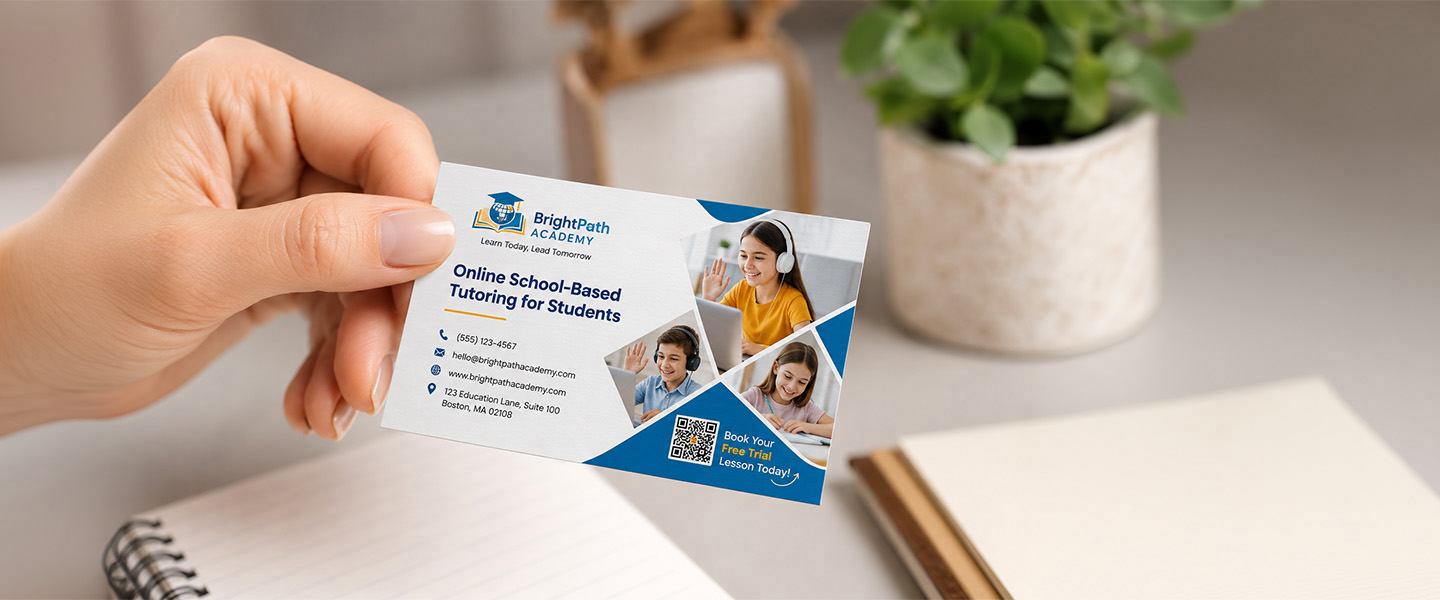
A traditional printed business card can include a QR code.
That creates a hybrid experience.
The front might contain:
MAYA CARTER
Interior Designer
while the back includes:
SCAN TO VIEW MY PORTFOLIO
[QR CODE]
Now the recipient gets:
A physical card to keep
plus
A direct path to digital content
That’s important when comparing NFC and printed cards.
You aren’t limited to choosing between a completely analog card and a completely digital experience.
Our guide to QR code business cards goes deeper into how QR codes can connect printed cards with websites, portfolios, contact pages, and other digital destinations.
NFC vs. QR Code Business Cards
NFC and QR codes can lead to similar destinations, but the interaction is different.
NFC:
Tap or bring the compatible phone close to the NFC area.
QR code:
Open the camera or scanner and point it at the code.
Both can direct someone to:
- Contact page
- Website
- Portfolio
- Social profile
- Booking page
- Digital business card
A QR code has the advantage of being visibly recognizable.
People can see that there is something to scan.
NFC can feel more seamless once someone understands where to tap.
Some cards combine both.
That gives the recipient options:
Tap here
or
Scan here
If you’re relying on technology as part of a networking exchange, providing more than one route can also be useful when a particular phone doesn’t respond as expected.
What Information Should an NFC Business Card Share?
The fact that you can link to a page containing 20 different things doesn’t mean you should.
Think about what someone is most likely to want immediately after meeting you.
For a consultant:
Save contact → View services → Book a call
For a photographer:
View portfolio → Contact → Follow
For a salesperson:
Save contact → Company website → Schedule meeting
For a realtor:
Save contact → View listings → Call
For a designer:
Portfolio → Contact → LinkedIn
Keep the destination focused.
If tapping your card opens a page with:
12 social profiles,
7 buttons,
4 videos,
3 pop-ups,
and an email newsletter form,
you’ve removed the convenience that NFC was supposed to create.
The tap should simplify the next step.
What Should Still Be Printed on an NFC Card?
Even if your card contains NFC technology, don’t assume the physical design should contain nothing except:
TAP HERE
At minimum, consider making the card identifiable without the technology.
That might include:
Name
Company
Role
Logo
Short instruction
For example:
ALEX MARTIN
Commercial Photographer
Tap to view portfolio
That way, the card still communicates who you are before the digital interaction begins.
It also makes the NFC feature easier to understand.
A Networking Scenario: NFC vs. Print
Let’s imagine two people leaving the same business conference.
Person A Uses NFC
They meet a prospect.
The prospect taps the NFC card.
A digital contact page opens.
The prospect saves the contact information.
Person A keeps the physical card.
Person B Uses Printed Cards
They meet a prospect.
They hand over a printed card.
The prospect puts it in a badge holder.
Later that afternoon, the prospect looks at the card again and visits the website printed on it.
Neither interaction is inherently better.
They simply create different follow-up paths.
The important question is:
Which path makes sense for the people you usually meet?
What About Cost?
This comparison isn’t as simple as saying one type is cheaper.
The cost model is different.
With NFC, you may purchase a reusable physical card and potentially pay for services associated with the digital profile or platform, depending on the provider.
With traditional cards, you order a quantity of cards and distribute them.
So compare:
NFC card purchase price
Any platform or subscription costs
Replacement cost
How many people need cards
How frequently information changes
against:
Printed card quantity
Cost per order
Reorder frequency
Paper and finish
Number of team members
For one person who networks constantly, the calculation may look different from a 50-person sales team that needs cards to leave behind with customers.
Compare the total workflow—not only the price of one card.
NFC Cards for Teams: One Detail Matters
For businesses with multiple employees, think beyond the individual card.
Ask:
Who controls the digital profile?
What happens when an employee leaves?
Can contact information be updated centrally?
Does the platform require recurring fees?
Who owns the account and data?
Can profiles be exported?
Does each employee need a separate card?
What happens if you change providers?
These questions become more important as the number of cards increases.
A technology that’s convenient for one person may require additional management when rolled out across an organization.
Are NFC Business Cards Secure?
NFC itself is designed for very short-range interactions. The NFC Forum describes NFC as operating within close proximity, and its standards are built around intentional tap-based interactions.
But an NFC business card is only one part of the experience.
If the card directs someone to a website or third-party digital profile, you should also consider:
- Where the profile is hosted
- What information is collected
- Whether analytics are enabled
- Account security
- Privacy settings
- Who controls the destination URL
- What permissions a service requests
The NFC tap may simply open the destination.
What happens after that depends on the service behind it.
Treat the digital platform with the same care you’d give any other business software.
Will NFC Work With Every Phone?
Don’t assume universal compatibility.
NFC functionality depends on the device, its hardware and software, settings, and how the NFC interaction has been implemented.
NFC technology is built into a large number of modern smartphones, and the NFC Forum describes it as standard functionality across most current smartphones.
Still, your real networking environment matters more than a general compatibility statistic.
If NFC is your primary method for sharing information, test the card with different devices before relying on it at an event.
And consider including visible information or another way to connect.
Technology should reduce friction, not create a networking troubleshooting session.
Are NFC Business Cards Worth It?
An NFC business card can make sense when your networking process benefits from immediately moving a face-to-face interaction onto a digital platform.
That might be useful if you:
- Network frequently
- Regularly share a portfolio
- Want people to book meetings immediately
- Change contact information often
- Prefer carrying one reusable card
- Depend heavily on digital profiles
- Want to direct contacts to specific online content
A printed card may make more sense if you:
- Want contacts to leave with something physical
- Distribute cards frequently
- Meet customers who prefer straightforward printed information
- Need cards for many employees
- Want paper, finish, and print design to reinforce your brand
- Don’t need extensive digital information during the initial exchange
And a printed card with a QR code may make sense if you want aspects of both.
The important distinction is that you’re not really comparing two pieces of card stock.
You’re comparing two networking experiences.
Could You Use Both?
Absolutely.
Imagine your main networking card is NFC-enabled.
You keep it for one-to-one meetings where someone can tap and save your details immediately.
You also carry printed cards for:
- Conferences
- Trade shows
- Group meetings
- Customer counters
- Referral partners
- People who want a physical card
Or reverse the strategy.
Use printed cards as your standard format and add a QR code that connects people to your digital profile.
The two formats don’t have to compete.
They can serve different moments.
NFC, QR Code, or Traditional Printed Card?
Here’s a simpler way to decide.
Choose NFC When…
Your ideal interaction is:
Meet → Tap → Open digital profile → Take digital action
Choose a Printed Card When…
Your ideal interaction is:
Meet → Hand over card → Recipient keeps your information
Choose a Printed Card With a QR Code When…
Your ideal interaction is:
Meet → Hand over card → Recipient keeps it → Scan when ready
Consider Both When…
You encounter several different networking situations and don’t want one format to handle all of them.
Before You Replace Your Printed Cards, Run a Test
If NFC sounds appealing, don’t necessarily replace your entire networking system immediately.
Try it.
At your next event, pay attention to:
Do people understand what to do?
Does the tap work quickly?
What page are you sending them to?
Do they actually save your information?
Would a physical card have been useful too?
Does the interaction interrupt the conversation?
What happens when someone doesn’t want to use their phone?
You may discover NFC works perfectly for your audience.
You may discover printed cards are easier.
Or you may find that the best approach is a combination.
The Business Card Isn’t the Goal
Whether it’s NFC, printed, or both, the business card itself isn’t the outcome you’re looking for.
The outcome is:
Remember me.
Contact me.
See my work.
Visit my business.
Book the meeting.
Continue the conversation.
NFC business cards make the transition from physical networking to digital content faster by using a close-range tap to trigger an action on a compatible device. NFC’s Read/Write Mode can be used to open websites and share information from NFC tags.
Printed cards take a different approach.
They give the other person a physical piece of your brand and contact information to keep.
If that’s the experience you want, custom printed business cards remain a straightforward option, with paper and finishing choices that can make the physical card part of the impression you leave.
Before designing yours, you can also review our guides to what to put on a business card and how to make your business cards stand out.
The best format isn’t necessarily the one with the most technology.
It’s the one that makes it easiest for the person you just met to take the next step.
Frequently Asked Questions About NFC Business Cards
What is an NFC business card?
An NFC business card is a physical card containing an NFC tag or chip that can interact with a compatible smartphone at close range. The card can be configured to direct the phone to digital information such as a contact page, website, portfolio, or digital business card.
What does NFC stand for?
NFC stands for Near Field Communication. It is a short-range wireless technology that enables compatible devices and NFC tags to communicate when brought into close proximity.
How does an NFC business card work?
When a compatible smartphone is brought close to the NFC area of the card, the phone can read the information programmed into the NFC tag. That interaction can trigger an action such as opening a website or digital contact page.
Do NFC business cards need batteries?
Passive NFC tags don’t require their own battery. They can receive the power needed for the interaction from the active NFC device, such as a smartphone.
Do NFC business cards work with every phone?
No. Compatibility depends on the phone’s NFC hardware, software, settings, and the implementation used by the card. Test your card across the devices your audience is likely to use rather than assuming every phone will behave identically.
Can you change the information on an NFC business card?
It depends on how the card is configured. If the NFC card points to an online profile or URL that you control, information on that destination may be updated without changing the physical card. The specific capabilities depend on the card and service provider.
What’s the difference between NFC and QR code business cards?
NFC cards use a close-range tap or proximity interaction, while QR code cards require the recipient to scan a visible code with a compatible camera or scanner. Both can direct users to digital information.
Are NFC business cards better than printed business cards?
Neither format is universally better. NFC cards can make it convenient to move a networking interaction to digital content, while printed cards give the recipient a physical takeaway with immediately visible information. The right choice depends on how and where you network.
Can I put a QR code on a printed business card?
Yes. A QR code can connect a printed business card to a website, portfolio, contact page, booking page, or other digital destination while allowing the recipient to keep the physical card.
Are NFC business cards worth it for networking?
They can be useful for people who frequently network and want contacts to access digital profiles, portfolios, booking pages, or other online information immediately. If physical leave-behinds are important to your networking process, printed cards or a combination of formats may be more appropriate.